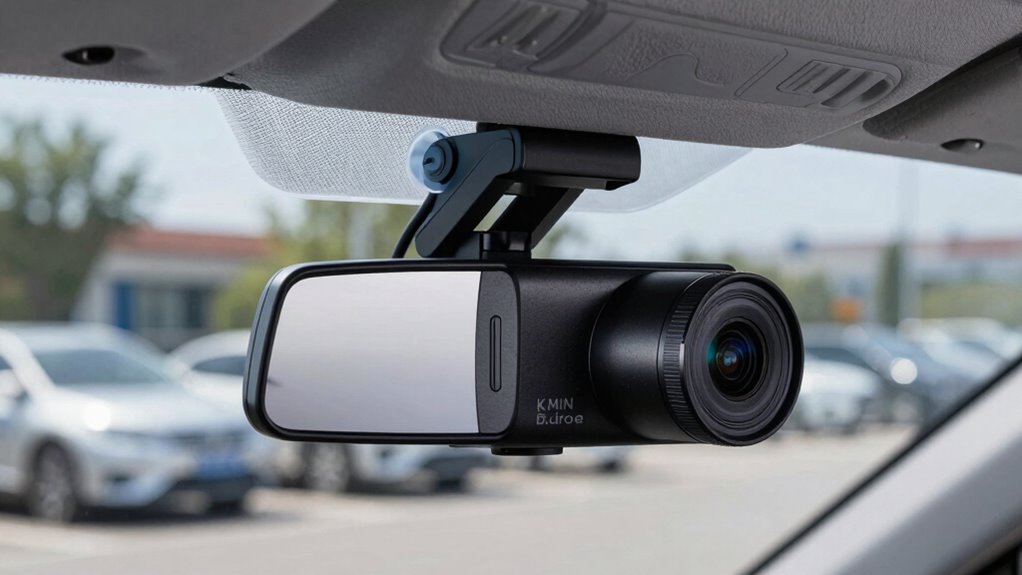

To set up your dash cam for parking protection, choose a model with reliable wireless connectivity and parking mode features. Mount it in a spot with a wide view, using adjustable mounts for proper angle. Connect it to your vehicle’s power source, either via hardwiring or an external battery, and enable parking mode for motion or impact detection. Securely set up Wi-Fi or Bluetooth, update firmware regularly, and test the system to guarantee it records correctly—if you want to master every step, continue ahead.

Get business pricing on garage and car supplies
- Business-only prices and quantity discounts
- Tax-exempt purchasing
- Multiple users, one account, clear invoices
Key Takeaways
- Mount the dash cam in a wide, adjustable position to cover the parking area effectively.
- Connect the device to the vehicle’s power source via hardwiring or external battery for continuous power.
- Enable parking mode and low-voltage protection to monitor and conserve vehicle battery life.
- Secure wireless connections with strong passwords and update firmware regularly for security.
- Test recording functions and remote access before leaving your vehicle unattended.
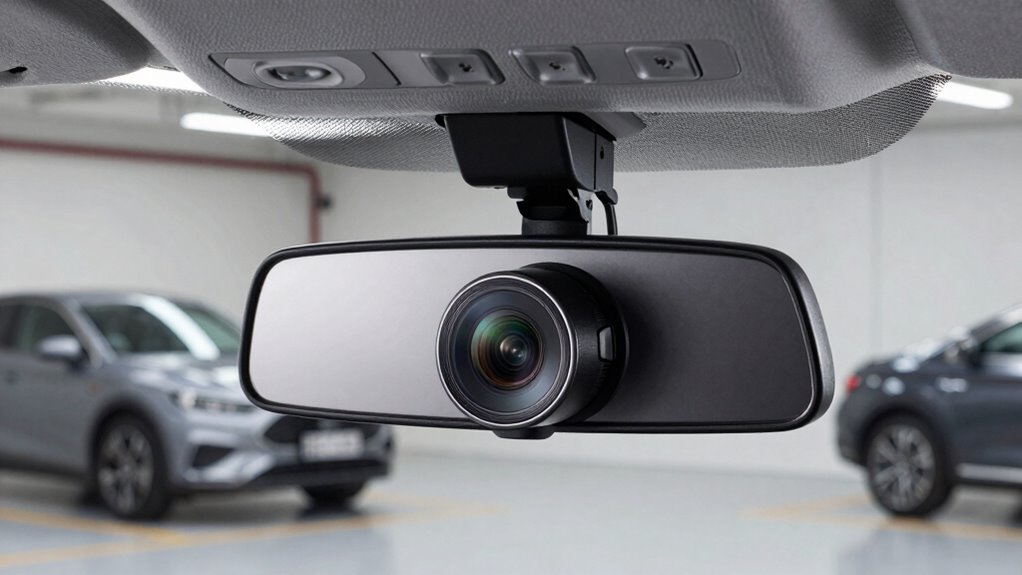
Ever wondered how to protect your vehicle while it’s parked? Setting up a dash cam for parking protection might seem complicated at first, but once you understand the essentials, it becomes straightforward. The key is choosing a dash cam with reliable wireless connectivity, which allows you to monitor and control the camera remotely without the hassle of cables. This feature makes it easier to access footage instantly and keeps your setup neat and clutter-free. Additionally, good power management is essential. Many dash cams come with built-in parking mode, but ensuring they have a steady power supply is critical for continuous protection. You can opt for hardwiring the camera directly to your vehicle’s electrical system or use a high-capacity external battery pack. Either way, effective power management ensures your dash cam stays active even when your car is off, providing round-the-clock surveillance.
Choose a dash cam with reliable wireless connectivity and steady power supply for effective parking protection.
To set it up properly, start by positioning the dash cam in a spot that offers a wide field of view of your parking area. Most models come with adjustable mounts, so take advantage of that to get the perfect angle. Once mounted, connect the camera to your vehicle’s power source. If the dash cam supports wireless connectivity, set up the Wi-Fi or Bluetooth connection according to the manufacturer’s instructions. This step allows you to access footage remotely, receive alerts, or change settings without needing to physically interact with the device. Make sure your wireless network is secure to prevent unauthorized access, and keep your firmware updated for maximum performance. In addition, understanding the hormesis concept can help in choosing the right features for your dash cam to ensure optimal performance and longevity, especially when considering environmental factors.
Furthermore, researching environmental impact can help you select energy-efficient and environmentally friendly dash cam models, aligning your vehicle security with eco-conscious choices. You might also consider local regulations regarding camera placement and video recording to ensure compliance and avoid potential legal issues. Next, enable parking mode on your dash cam. This mode typically activates when the vehicle is turned off and detects motion or impacts. To guarantee uninterrupted operation, consider installing a hardwire kit that taps directly into the car’s fuse box. This setup not only provides a reliable power source but also helps with power management, preventing the camera from draining your car’s battery excessively. Some models include low-voltage protection, which automatically shuts off the dash cam if the battery drops below a certain level, safeguarding your vehicle’s electrical system. Incorporating power management strategies can further extend the lifespan of your device and prevent battery drain issues.
Finally, test your setup by parking your vehicle and monitoring the dash cam’s performance via its wireless app or interface. Confirm that it records correctly, detects motion, and remains powered without draining the battery. Regularly check the footage storage and update your firmware when necessary. Being aware of emerging trends in digital publishing and technology can help you stay informed about innovative features that enhance your dash cam’s functionality. With these steps, you’ll have a well-protected vehicle, peace of mind, and a dash cam that’s ready to capture any incidents while parked.
wireless dash cam with parking mode
As an affiliate, we earn on qualifying purchases.
As an affiliate, we earn on qualifying purchases.
Frequently Asked Questions
How Long Does the Parking Mode Battery Last?
The parking mode battery usually lasts between 24 to 48 hours, depending on your dash cam’s battery lifespan and power consumption. If your camera has a built-in battery, it drains faster with high power consumption, reducing its parking protection time. To extend battery life, make certain your dash cam is energy-efficient, or consider connecting it to a constant power source, like a hardwire kit, for continuous protection.
Can I Use a Regular Dash Cam for Parking Protection?
Like a vigilant guardian, a regular dash cam can help with vehicle security, but it may fall short for parking protection. Many standard models lack essential camera features like motion detection or parking mode. To truly safeguard your car, opt for a dash cam designed for parking, with features that activate when you’re away. Otherwise, you risk leaving your vehicle vulnerable, like an open book waiting to be read.
What Is the Best Placement for the Dash Cam?
You should place your dash cam near the rearview mirror, angling it to capture the entire windshield and road ahead. Use camera angles that cover your vehicle’s sides for better protection. Make certain it’s securely mounted to prevent vibrations. For power sources, connect it to your vehicle’s electrical system or use a portable power bank for continuous recording. This setup maximizes coverage and keeps your dash cam running smoothly while parked.
Do I Need Additional Accessories for Parking Mode?
Yes, you might need additional accessories for parking mode, like a hardwire kit or sensors, to guarantee your dash cam works smoothly when parked. Think of these as the silent sentinels guarding your vehicle. Remember, sensor calibration is key to avoid false triggers, and keeping firmware updates current guarantees your dash cam responds correctly. These upgrades turn your dash cam into a vigilant protector, ready to capture every moment.
How Do I Troubleshoot if the Dash Cam Doesn’t Record?
If your dash cam doesn’t record, first check the power connection to guarantee it’s secure. Then, verify the camera calibration to confirm it’s properly aligned. Sometimes, a loose or faulty power source prevents recording, so reconnect or replace the power cable if needed. Also, review the settings to make sure parking mode is enabled. Reset the device if necessary, and test it again to confirm it’s functioning correctly.
As an affiliate, we earn on qualifying purchases.
Conclusion
Now that you’ve set up your dash cam for parking protection, you’re like a vigilant guardian watching over your car, ready to catch any sneaky intruders or mishaps. With everything properly installed and configured, your vehicle becomes a fortress of security, standing tall even when you’re away. Remember, a well-placed dash cam is your silent protector, ensuring peace of mind with every parking lot visit. Drive confidently, knowing your car has an unwavering watchman.
external battery pack for dash cam
As an affiliate, we earn on qualifying purchases.
As an affiliate, we earn on qualifying purchases.
adjustable mount for car dash cam
As an affiliate, we earn on qualifying purchases.
As an affiliate, we earn on qualifying purchases.
Fall Picks
fall essentials
As an affiliate, we earn on qualifying purchases.