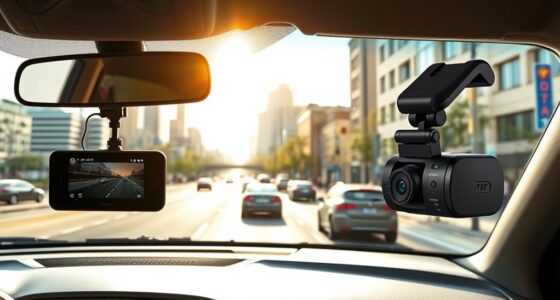
To get internet in your car, you can choose a built-in system or a portable mobile hotspot device, both needing a compatible data plan. This setup boosts connectivity for streaming, navigation, remote work, and entertainment, especially in remote areas or dead zones. While it adds some cost, the convenience and constant access are often worth it. If you’re interested in how to set it up and maximize this feature, you’ll find useful details ahead.

Get business pricing on garage and car supplies
- Business-only prices and quantity discounts
- Tax-exempt purchasing
- Multiple users, one account, clear invoices
Key Takeaways
- In-car Wi-Fi can be set up via dedicated mobile hotspots or built-in systems, both requiring an appropriate data plan.
- It enhances connectivity during road trips, supports remote work, and offers entertainment for passengers.
- Built-in systems provide a sleek design, while portable hotspots offer flexibility across multiple vehicles.
- The investment adds convenience but involves extra costs for data plans and equipment.
- Overall, in-car Wi-Fi transforms your vehicle into a connected, versatile space, improving travel experience and productivity.
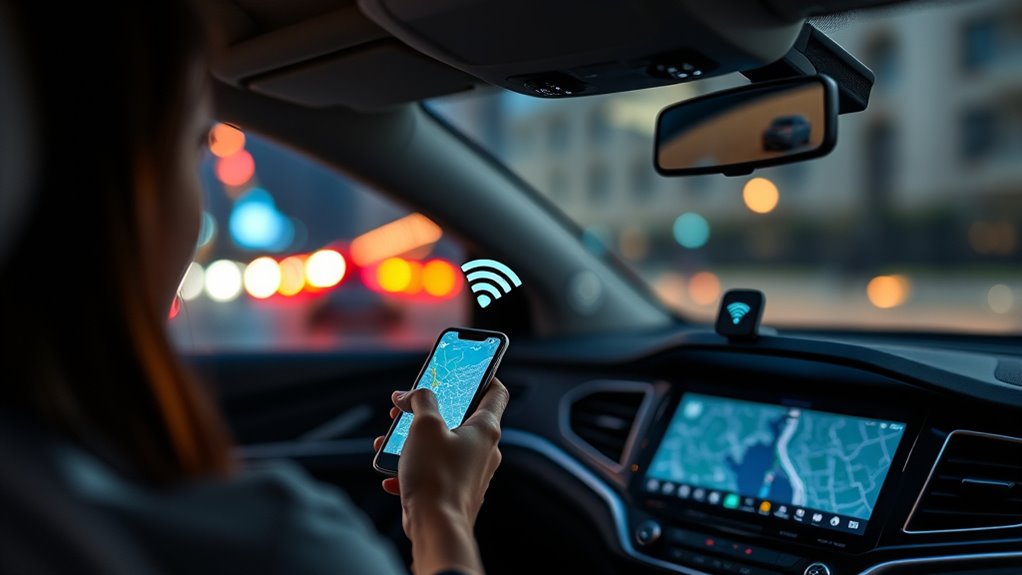
In-car Wi-Fi has become an essential feature for modern drivers who want to stay connected on the go. Whether you’re beginning a long road trip or just commuting to work, having reliable internet in your vehicle enhances the experience in many ways. One of the main benefits is improved road trip connectivity. With Wi-Fi on board, you can stream your favorite playlists, look up directions without relying solely on cellular data, or access real-time traffic updates to avoid delays. No more worrying about spotty mobile signals in remote areas — your car becomes a mobile hotspot that keeps you connected throughout your journey. This is especially useful if you’re traveling with family or friends, as everyone can stay connected and entertained without interruptions.
In-car Wi-Fi keeps you connected and entertained on the go, no matter where the road takes you.
Passenger entertainment is another significant advantage of in-car Wi-Fi. If you’ve got kids or passengers who like to watch videos or play online games, Wi-Fi turns your vehicle into a mobile entertainment hub. It reduces boredom during long drives and keeps everyone happy, which can make your trip smoother and more enjoyable. Streaming movies, browsing social media, or downloading new apps becomes seamless, transforming your vehicle into a mini entertainment center. Plus, if you’re on a work trip, you can use the Wi-Fi for remote work tasks, like checking emails or participating in video calls, without relying on shaky mobile data connections.
Getting in-car Wi-Fi isn’t complicated. You typically have two options: a dedicated mobile hotspot device or a built-in system offered by some vehicle manufacturers. Mobile hotspots are portable, so you can use them in multiple vehicles or switch between cars easily. Built-in systems, on the other hand, are integrated into the vehicle and often come with a data plan. These tend to be more convenient, with a sleek interface and fewer devices to manage. Either way, you’ll need a data plan that suits your usage, especially if you plan to stream videos or make frequent browsing.
Is it worth it? If you value staying connected during road trips, ensuring passenger entertainment, or need reliable internet for work, then yes. It eliminates the frustration of dead zones and gives you peace of mind knowing you’re always online. While it does come with an extra cost, the convenience and enhanced experience often outweigh the expense. Additionally, investing in home theatre projectors or other entertainment technology can further enhance your vehicle’s multimedia capabilities, making every trip feel like a cinema experience. In-car Wi-Fi transforms your vehicle from a simple mode of transportation into a versatile, connected space where everyone can enjoy their digital world while on the move.
As an affiliate, we earn on qualifying purchases.
Frequently Asked Questions
Can I Use In-Car Wi-Fi Without a Data Plan?
You generally need a data plan to use in-car Wi-Fi, as it relies on cellular networks. Without a data plan, you can’t access the internet through your hotspot device. Make sure your hotspot device is compatible with your carrier’s network, and consider whether a data plan is worth it for your usage. Some vehicles offer free Wi-Fi, but most require ongoing data plan requirements to stay connected on the road.
How Secure Is In-Car Wi-Fi From Hacking?
Turning over a new leaf in car security, in-car Wi-Fi’s safety depends on its encryption standards. While modern setups use strong encryption to fend off hacking vulnerabilities, no system is completely foolproof. You could still be at risk if outdated protocols are in place or if you don’t change default passwords. To stay secure, always update your firmware and use complex passwords—don’t let your guard down on the road.
Does In-Car Wi-Fi Work in Remote Areas?
In-car Wi-Fi can work in remote areas, but signal strength depends on satellite coverage. If you’re in a location with strong satellite signals, your Wi-Fi is more likely to function well. However, in very remote regions with limited satellite coverage, your connection might be spotty or nonexistent. To improve chances, consider a system that uses multiple network sources, like cellular and satellite, for better coverage in remote areas.
What Devices Are Compatible With In-Car Wi-Fi?
You can use smartphones, tablets, laptops, and portable hotspots with in-car Wi-Fi, as long as they’re compatible with the device’s network bands and Wi-Fi standards. Check your vehicle’s compatibility and make sure your device setup includes enabling the hotspot feature or connecting via Wi-Fi. Most modern devices easily connect, but older models may need updates or specific settings adjustments for seamless internet access.
How Much Does In-Car Wi-Fi Typically Cost Monthly?
In-car Wi-Fi usually costs between $10 and $50 a month, depending on your plan options. You should compare the cost comparison of data plans to find the best deal for your usage. Some plans offer unlimited data, while others limit data at certain speeds or amounts. Consider how often you’ll use it and choose a plan that fits your needs without overspending, ensuring you get good value for your money.
As an affiliate, we earn on qualifying purchases.
Conclusion
With in-car Wi-Fi, you can stay connected on every trip—whether you’re working, streaming, or browsing. Did you know that 78% of drivers say Wi-Fi makes long drives more enjoyable? If you’re tired of relying on your phone’s hotspot or public Wi-Fi, investing in a dedicated in-car system could be worth it. Stay connected, stay productive, and make every journey more convenient. It’s a small upgrade that offers big benefits.
As an affiliate, we earn on qualifying purchases.
As an affiliate, we earn on qualifying purchases.
Fall Picks
fall essentials
As an affiliate, we earn on qualifying purchases.