When adding a wireless charger to your car, make certain it’s compatible with your phone’s support for standards like Qi and suitable for your vehicle’s power outlet. Pick a charger with smart features, fast charging, and proper placement to prevent overheating and interference from thick or metal cases. Secure the charger firmly, position it where you can easily access it, and use certified, high-quality devices. For safety plus ideal performance, pay attention to electrical sources and maintenance tips outlined here.
Key Takeaways
- Ensure your phone supports wireless charging standards like Qi and check case compatibility before installation.
- Choose a certified, reputable wireless charger compatible with your vehicle’s power sources.
- Position the charger securely on the dashboard or suitable location with proper coil alignment for efficient charging.
- Manage cables and airflow to prevent overheating and ensure safety during prolonged use.
- Regularly inspect and clean the charging pad to maintain optimal performance and safety.
Ensuring Compatibility With Your Vehicle and Phone

Before purchasing a wireless phone charger for your car, it’s essential to verify that it’s compatible with both your vehicle and your phone. Start by checking the wireless charging standards supported by your device, such as Qi, which is the most common. Making sure your phone meets these standards guarantees efficient charging. Additionally, consider your vehicle’s interior design; some cars have built-in mounting points or space for wireless chargers, while others may require an aftermarket solution. Compatibility isn’t just about the charging pad—it also involves fitting seamlessly into your vehicle’s layout without obstructing controls or visibility. Confirm that the charger’s size, power output, and mounting options align with your vehicle’s interior design to ensure a smooth and functional setup. For a better user experience, look into product reviews and specifications to ensure the charger will meet your needs. It’s also helpful to consider installation options to determine how easily the charger can be integrated into your car. Additionally, understanding the energy efficiency standards of the charger can help you select a more sustainable option that minimizes power consumption.
Choosing the Right Type of Wireless Charger for Your Needs

When selecting a wireless charger, make sure it’s compatible with your phone and car. Consider the charging speed options—faster chargers save you time, but may require higher power levels. Picking the right type depends on your device’s needs and how quickly you want your phone to recharge. Additionally, understanding wireless charging technology can help you choose a more efficient and reliable charger. Being aware of modern kitchen technology can also inform your choices about smart features and automation, even in your car accessories. Exploring vintage-inspired design elements can further enhance your overall aesthetic and ensure your tech integrates seamlessly with your retro-themed interior.
Compatibility With Devices
Choosing the right wireless charger for your car depends on making certain compatibility with your devices. First, check that your phone supports wireless charging based on the relevant wireless charging standards, like Qi. Most modern smartphones are compatible with Qi standards, but verifying this prevents surprises. Additionally, consider device case compatibility; some cases can interfere with charging or cause overheating. Thick or metal cases may require you to remove them or choose a charger designed for such cases. Double-check the charger’s specifications to confirm it works seamlessly with your device. Compatibility issues can lead to slower charging or no charging at all, so investing in a charger that aligns with your device’s standards and case type guarantees reliable performance. Furthermore, understanding the projector technology involved can help you select a charger that supports your device’s power needs more efficiently.
Charging Speed Options
Selecting a wireless charger with the right charging speed can substantially impact your daily driving experience. If you want your phone to power up quickly, look for chargers that support fast charging. These chargers adhere to specific charging standards like Qi fast charge or Power Delivery, ensuring your device gets energy efficiently. Keep in mind that not all wireless chargers offer the same speed, so check the product specifications to match your needs. Faster charging options are especially useful if you’re often on the go and need a quick boost. However, remember that device compatibility also plays a role; your phone must support the same fast charging standards. Choosing the right charging speed ensures convenience without sacrificing device safety or performance. Additionally, understanding the free floating nature of some wireless systems can help optimize placement for better charging efficiency. Being aware of privacy policies and data sharing practices can also enhance your overall experience when purchasing and using wireless chargers. Being informed about charging standards can help you select a compatible and efficient device, and considering self-sufficiency principles can ensure reliable power sources during emergencies.
Optimal Placement and Installation Tips

To guarantee your wireless phone charger works effectively, it’s crucial to place it in a spot that’s both accessible and stable. Consider dashboard placement for quick access and minimal distraction while driving. Ensure the charger is secured firmly to prevent movement during turns or bumps. Good cable management is essential—hide excess cable length to avoid clutter and potential damage. When installing, keep the charger within reach without blocking essential controls or vents. Use mounts or adhesive pads that won’t damage your dashboard. Test the placement by placing your phone to confirm it’s easy to grab and view. Additionally, consider the simple home capabilities to streamline your in-car experience, such as voice commands or automation features. Proper installation techniques can extend the lifespan of your charger and maintain safety standards, making your driving experience smoother and more enjoyable. Incorporating proper positioning can also help ensure your device charges efficiently without interference.
Power Sources and Electrical Considerations
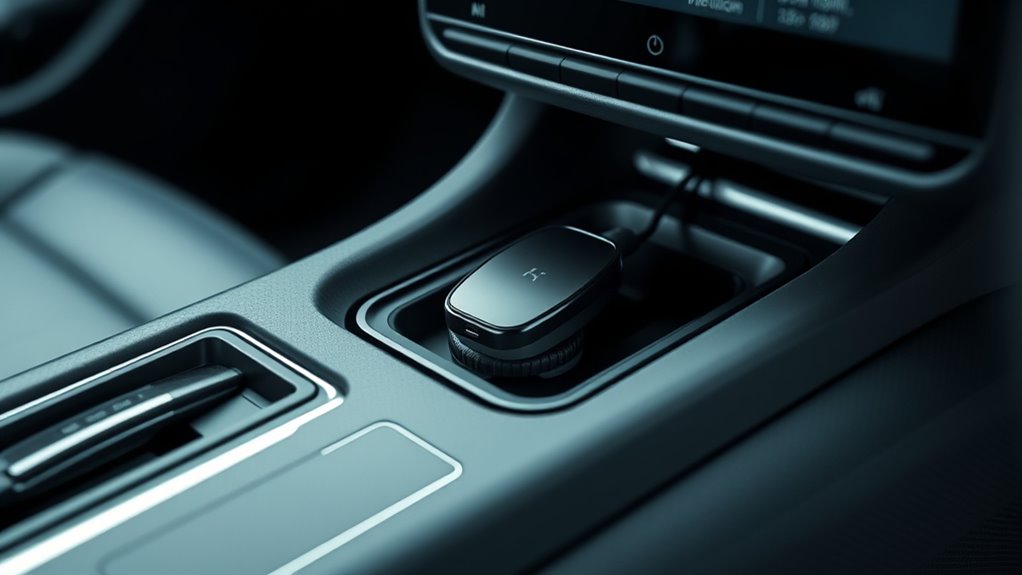
Your car’s electrical system provides the power needed for your wireless phone charger, so understanding the available power sources is crucial. Most chargers draw power directly from the vehicle’s 12V socket or fuse box. Before installation, check your car’s battery capacity to verify it can handle the added load without draining excessively. The power output of the charger also matters; higher output chargers can charge your phone faster but may require more power. If your vehicle has a high-capacity battery, it’s less likely to be affected by the extra draw. Be mindful of your car’s electrical limits, especially if you plan to add multiple accessories. Properly evaluating these electrical considerations helps ensure your wireless charger functions safely and efficiently. Additionally, understanding the electrical system’s capacity can help prevent potential overloads and ensure long-term performance. Knowing how your vehicle’s power distribution operates can further aid in optimizing your setup and avoiding electrical issues. Being aware of your vehicle’s electrical load can help you make informed decisions about adding new accessories without risking electrical problems. Regularly assessing your vehicle’s electrical capacity can also extend the lifespan of your electrical components and maintain overall safety. Staying informed about your vehicle’s electrical system design can help you better plan for future electrical upgrades and accessories.
Safety Precautions and Precautionary Measures
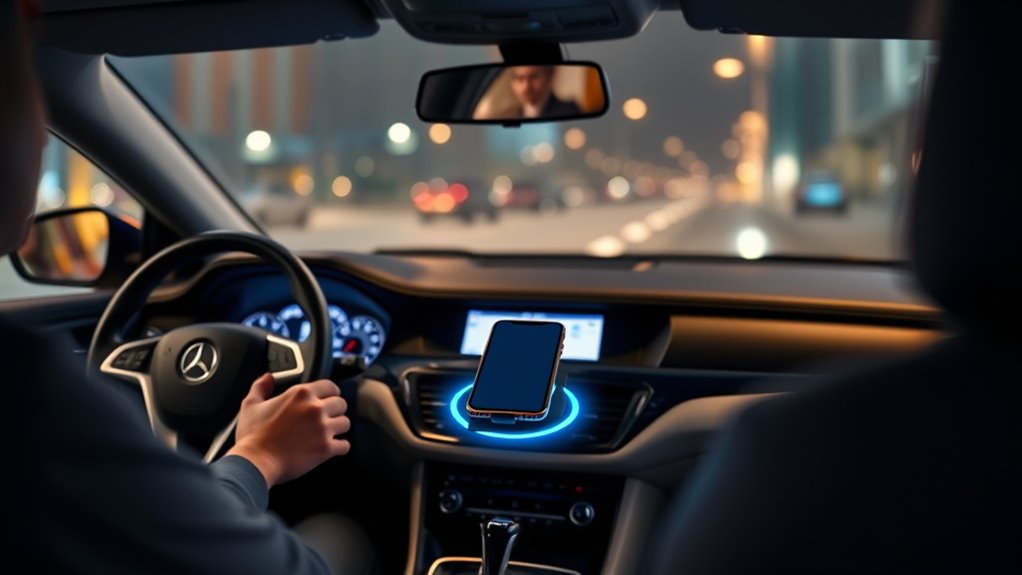
Make sure you place your wireless charger in a secure, stable spot to prevent it from falling or shifting while driving. Keep an eye on the temperature to avoid overheating, especially during long trips or hot weather. Always choose certified devices to guarantee safety and compatibility with your car’s electrical system. Additionally, consider the safe installation practices to ensure your wireless charger is properly set up and minimizes any electrical risks. Being aware of privacy policies and how your data is used can also help you recognize and avoid potential manipulative behaviors related to device use or installation scenarios. Incorporating nanotechnology advancements, such as improved materials and sensors, can further enhance the safety features of your wireless charging setup. When selecting your device, it’s also helpful to review document management best practices to keep your setup organized and secure.
Proper Charging Placement
Ensuring proper placement of your wireless charger is essential for safety and device performance. You want to position it where it adheres to wireless charging standards and doesn’t interfere with your view or controls. Consider these key points:
- Place the charger where your phone’s charging coil aligns with the charger’s coil to maximize efficiency.
- Keep the charger within easy reach to prevent distractions while driving.
- Prioritize installation aesthetics by choosing a spot that blends seamlessly with your car’s interior and avoids clutter.
Avoid Overheating Risks
Since wireless chargers generate heat during operation, it is crucial to take safety precautions to prevent overheating. Proper thermal management is key; make sure your charger has good ventilation and isn’t placed in direct sunlight or enclosed compartments that trap heat. Additionally, check that the device has adequate insulation to contain heat and prevent it from affecting other car components. Avoid stacking objects or placing heavy items around the charger, as this can hinder airflow and increase temperature. Regularly monitor the charging area for signs of excessive heat, such as melting or warping. Using chargers with built-in temperature sensors or thermal cut-offs can further reduce overheating risks. By managing heat effectively, you keep both your device and your vehicle safe during wireless charging.
Use Certified Devices
Using certified wireless phone chargers is a key step in maintaining safety when adding a device to your car. Certified chargers ensure compatibility, reduce overheating risks, and protect your phone’s battery life. To follow proper wireless charging etiquette and avoid issues, choose devices from reputable brands with strong reputation considerations. This helps guarantee quality and safety standards are met. When selecting a charger, keep these points in mind:
- Verify certifications like Qi or UL to ensure safety compliance
- Prioritize brand reputation to avoid subpar products
- Follow manufacturer instructions for proper placement and use
Using certified devices minimizes risks, promotes safe charging habits, and ensures your phone stays protected while on the road. Always research and select chargers that meet industry safety standards for peace of mind.
Maintenance and Troubleshooting Tips

To keep your wireless phone charger functioning properly, regular maintenance is essential. Start by inspecting the charging pad for dust, dirt, or debris that can hinder proper contact. Clean it gently with a soft, dry cloth to maintain peak performance. Always follow wireless charging etiquette by avoiding placing objects between your phone and the charger, as this can cause overheating or misalignment. Check your car’s power connections periodically to ensure they’re secure and free of corrosion. If your phone isn’t charging properly, troubleshoot by repositioning it or restarting your device. To preserve battery health, don’t keep your phone on the charger longer than necessary. Proper maintenance and troubleshooting help extend the life of your wireless charger and keep your phone charging efficiently.
Frequently Asked Questions
Can I Install a Wireless Charger Without Professional Help?
Yes, you can install a wireless charger yourself if you’re comfortable with installation considerations and wiring complexity. Make sure to carefully read the instructions and have the right tools on hand. You’ll need to connect the charger to your car’s power supply, often through the fuse box or cigarette lighter. If you’re unsure about handling wiring or installation considerations, it’s safer to seek professional help to avoid damaging your vehicle or charger.
Will Using a Wireless Charger Drain My Car’s Battery?
Using a wireless charger can cause some car battery drain because of its power consumption, especially if you leave it plugged in when the engine’s off. However, most chargers are designed to minimize this drain and won’t substantially affect your car’s battery if used responsibly. To avoid unnecessary power drain, unplug the charger when not in use or turn off your vehicle’s accessories.
Do Wireless Chargers Interfere With Other Electronic Devices?
Did you know electromagnetic interference from wireless chargers is rare? Generally, they won’t interfere with other electronic devices, thanks to strict safety standards. However, device compatibility can vary, so check your phone and car system. Most modern wireless chargers are designed to prevent electromagnetic interference, ensuring your GPS, radio, and other electronics work smoothly. To stay safe, opt for reputable brands and follow installation guidelines carefully.
Are There Compatibility Issues With Phone Cases?
You might face phone case compatibility issues with wireless charging limits. Thick or metal cases can block the charging process, so check if your case is suitable before installing. Slim, non-metallic cases usually work well without affecting charging speed. To guarantee smooth wireless charging, remove bulky or metal components from your case if you notice any charging problems. This way, you’ll get ideal performance and avoid unnecessary frustrations.
How Do I Troubleshoot Charging Issues With My Wireless Charger?
Think of your wireless charger like a garden hose; if there’s a kink, water (or power) can’t flow. First, check the charging indicator—if it’s off, verify the power source is working. Try repositioning your phone to align with the charger’s coil. If issues persist, clean the charging pad and cable connections. Sometimes, restarting your phone or resetting the charger does the trick, ensuring smooth power flow.
Conclusion
So, now you’re all set to turn your car into a wireless charging haven—because who needs messy cables cluttering up your dashboard? Just remember, with great convenience comes great responsibility—and the occasional dead phone when you forget to check compatibility. So, enjoy the magic of seamless charging, and don’t be surprised if your friends start questioning your newfound tech wizardry. After all, nothing says “I’ve got my life together” like a phone that’s always juicily charged.