
To choose the right microSD card for your dash cam, consider one with at least 64GB of storage, though 128GB or more is better for longer, high-resolution footage. Look for durable cards with shockproof, waterproof, and temperature-resistant features to handle tough environments. Opt for high-speed classes like UHS-I or Class 10 to ensure smooth recording without lag. Stick with reputable brands for reliability. Keep these factors in mind, and you’ll find it easier to select the ideal card for your needs.

Get business pricing on garage and car supplies
- Business-only prices and quantity discounts
- Tax-exempt purchasing
- Multiple users, one account, clear invoices
Key Takeaways
- Opt for a minimum of 64GB capacity, with 128GB or higher for extended, high-resolution recordings.
- Choose a durable, waterproof, and shock-resistant card suited for extreme automotive environments.
- Select a microSD card with high speed classes (Class 10, UHS-I/UHS-II) for smooth 4K or HD footage.
- Ensure proper formatting and compatibility with your dash cam model to prevent recording errors.
- Trust reputable brands known for reliability to reduce the risk of card failure and data loss.
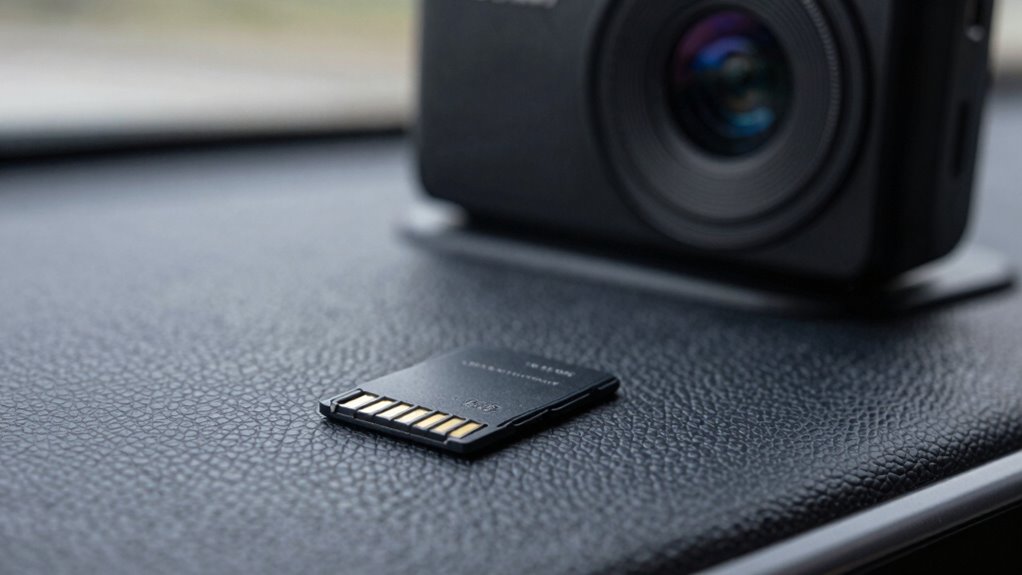
Ever wondered how to guarantee your dash cam records smoothly and reliably? The key lies in choosing the right microSD card. You need a card that not only offers ample storage capacity but also has durability features suited for the demanding environment your dash cam operates in. Storage capacity is vital because dash cams constantly record high-definition footage, often in loops, which means you’ll want enough space to store hours of footage without constantly swapping cards. A microSD card with at least 64GB is a good starting point for daily use, but if you prefer longer recording times or higher resolutions, consider 128GB or more. Keep in mind, the more storage you have, the less frequently you’ll need to delete footage or swap cards, guaranteeing continuous coverage. Additionally, selecting a card with robust construction ensures it can withstand the vibrations and environmental stresses typical in automotive settings. Durability features are equally important. Your dash cam is exposed to vibrations, temperature fluctuations, moisture, and dust, all of which can damage a poorly made microSD card. Look for cards specifically designed for automotive or outdoor use, which typically include rugged features like shock resistance, waterproofing, and temperature tolerance. These durability features guarantee that even in extreme conditions—hot summers, cold winters, or sudden rain—you won’t lose important footage due to card failure. Choosing a microSD card with advanced technology can also improve data transfer rates and overall reliability, especially for high-resolution recordings. A card built to withstand these elements reduces the risk of data corruption and extends the lifespan of your microSD card, saving you money and hassle over time. Additionally, selecting a card with proper formatting ensures compatibility with your dash cam and helps prevent data errors during recording. When selecting the right microSD card, also pay attention to its speed class, since higher speeds facilitate smooth recording and playback, especially for high-definition video. Class 10, UHS-I, or UHS-II cards are recommended, with UHS speed classes providing faster write speeds suitable for 4K recordings. The faster the write speed, the less likely you’ll experience dropped frames or lag during recording, which can be critical if you need clear, reliable footage for insurance claims or security purposes. Moreover, choosing a card with reliable performance from reputable brands can help prevent unexpected failures, ensuring peace of mind during your daily drives.
As an affiliate, we earn on qualifying purchases.
Frequently Asked Questions
Can I Use a Regular SD Card Instead of a microSD Card?
You can’t use a regular SD card instead of a microSD card for your dash cam because of memory compatibility and card speed ratings. Dash cams are designed specifically for microSD cards, which fit into their smaller slots. Regular SD cards won’t fit properly and may not meet the speed requirements needed for continuous recording. Always choose a microSD card with the right speed rating to guarantee reliable, high-quality footage.
How Often Should I Replace My Dash Cam’s microSD Card?
You should replace your dash cam’s MicroSD card every 6 to 12 months, depending on usage. MicroSD durability can decline over time due to constant writing and deleting, risking data loss. Keep an eye on card capacity considerations—if your memory fills up quickly or the card shows signs of wear, it’s time for a replacement. Regularly backing up footage also helps prevent data loss.
Do Different Dash Cam Brands Require Specific microSD Card Types?
Different dash cam brands often require specific microSD card types because of brand compatibility and storage capacity limitations. You should check your dash cam’s manual or manufacturer’s website to verify the microSD card you choose is compatible. Some brands recommend certain storage capacities for maximum performance. Using the right microSD card prevents issues like recording failures or data corruption, guaranteeing your dash cam works reliably.
Is It Safe to Use a Generic or Third-Party microSD Card?
Using a generic or third-party microSD card can be risky, as compatibility issues might arise, causing your dash cam to malfunction or not recognize the card. Additionally, lower-quality cards often have higher failure rates, risking data recovery problems if the card corrupts or gets damaged. To guarantee reliability and safety, stick to reputable brands, especially for critical recordings, and regularly back up your footage to avoid data loss.
How Does Temperature Affect microSD Card Performance in a Dash Cam?
Temperature considerably impacts your microSD card’s performance in a dash cam. Extreme heat can cause your card to overheat, leading to data transfer errors or even failure, while cold temperatures may slow down data transfer speeds. To maintain ideal storage capacity and smooth data transfer, avoid exposing your microSD card to high or freezing temperatures. Keep it in a cool, dry place, especially during long drives in extreme weather.
waterproof shockproof microSD card
As an affiliate, we earn on qualifying purchases.
As an affiliate, we earn on qualifying purchases.
Conclusion
Think of your dash cam as a vigilant guardian, always watching over your journey. Choosing the right microSD card is like giving this guardian a sturdy, reliable shield—one that can withstand the storms of daily driving. With the right card, you’re ensuring your footage remains safe and accessible, no matter what roadblocks come your way. So, pick wisely; your dash cam’s memory is the armor that keeps your stories safe for the future.
UHS-I Class 10 microSD card for 4K dash cam
As an affiliate, we earn on qualifying purchases.
As an affiliate, we earn on qualifying purchases.
reliable automotive microSD card
As an affiliate, we earn on qualifying purchases.
As an affiliate, we earn on qualifying purchases.
Fall Picks
fall essentials
As an affiliate, we earn on qualifying purchases.