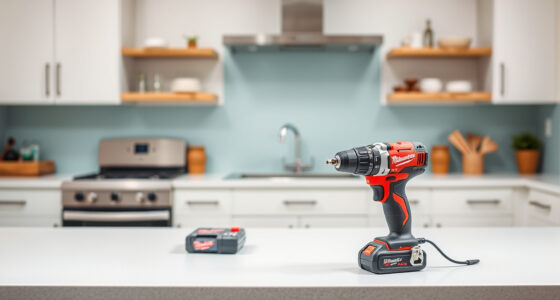

If your Milwaukee power tool charger is blinking red, it often indicates a problem with the battery, charging process, or the charger itself. This guide provides clear, practical steps to diagnose and resolve this issue safely, so you can get back to your work without unnecessary downtime.

Get business pricing on garage and car supplies
- Business-only prices and quantity discounts
- Tax-exempt purchasing
- Multiple users, one account, clear invoices
Key Takeaways
| Check for Proper Connections | Ensure the charger and battery are properly seated and clean. |
| Inspect the Battery | Look for damage, swelling, or dirt that may interfere with charging. |
| Test with a Different Battery | Determine if the issue is with the battery or the charger. |
| Examine the Charger | Check for visible damage or dirt on the charging contacts. |
| Follow Safety Precautions | Always unplug the charger before inspecting or cleaning. |
Step 1: Power Off and Unplug the Charger
Before starting, unplug the charger from the power outlet to prevent electrical shock. Remove any batteries from the charger to safely inspect the device.
Step 2: Inspect and Clean the Charging Contacts
- Use a dry cloth or a soft brush to clean the metal contacts on both the charger and the battery.
- Remove any dirt, grease, or corrosion that could prevent proper contact.
Step 3: Check the Battery Condition
Look for signs of damage such as swelling, cracks, or corrosion. If the battery is damaged, it should be replaced.
Step 4: Test with a Different Battery
If available, place a fully charged or known-good battery onto the charger. If the blinking red persists, the issue may be with the charger. If not, the original battery may be faulty.
Step 5: Try a Different Power Outlet and Reset
- Plug the charger into a different, properly functioning outlet.
- If your charger has a reset button, press it according to the user manual.
Tips and Warnings
- Always handle batteries carefully to avoid puncture or damage.
- Do not attempt to repair internal components yourself; contact Milwaukee customer service if problems persist.
- Use only genuine Milwaukee batteries and chargers to ensure safety and compatibility.
The Products in This Guide

Milwaukee M18 18V Cordless Power Tool Combo Kit
- ✔ Voltage: 18V
- ✔ Number of tools: 8
- ✔ Battery types: High-capacity and compact

Milwaukee Shockwave 100pcs Impact Driver Bit Set Packout
- ✔ Number of bits: 100
- ✔ Case: Packout
- ✔ Material: Impact steel
Milwaukee M18 18V Cordless Power Tool Combo Kit
The Milwaukee M18 18V Cordless Power Tool Combo Kit offers a comprehensive set of tools and batteries, making it ideal for various construction and maintenance tasks. Its charger is designed for quick, efficient charging, but occasional blinking red lights can occur due to common issues that this guide can help resolve.
Pros:
- Includes 8 versatile tools
- 3 high-capacity batteries
- Fast charger included
- Heavy-duty storage bags
Cons:
- Charger blinking may indicate battery or connection issues
- Requires proper maintenance for longevity
Best for: Professionals and DIYers needing a complete cordless toolkit
Not ideal for: For users with limited space or occasional light-duty use
Bottom line: A versatile, high-performance cordless kit backed by reliable Milwaukee quality.
Milwaukee Shockwave 100pcs Impact Driver Bit Set Packout
The Milwaukee Shockwave 100pcs Impact Driver Bit Set Packout provides a comprehensive range of bits for various applications. It’s durable, organized, and perfect for enhancing your toolkit’s versatility.
Pros:
- 100-piece set for multiple applications
- Includes a Packout case for organization
- Durable impact-ready bits
- Compatible with Milwaukee impact drivers
Cons:
- Bulkiness of the case for small spaces
- Bits may wear over heavy use
Best for: Professional contractors and serious DIYers
Not ideal for: Casual users with light-duty needs
Bottom line: A comprehensive set that keeps your impact driver ready for any task.
Frequently Asked Questions
Why is my Milwaukee charger blinking red?
A red blinking light typically indicates a problem such as a faulty battery, poor connection, or overheating. Troubleshooting the battery and contacts can often resolve this.
Can I use a different battery with my Milwaukee charger?
Yes, but only Milwaukee batteries that are compatible with your charger model. Using non-genuine batteries can cause charging issues or damage.
How do I reset my Milwaukee charger?
Some models have a reset button or require unplugging for a few minutes. Refer to your user manual for specific reset instructions.
When should I replace my Milwaukee batteries?
If your batteries no longer hold a charge, show signs of damage, or the charger indicates a fault, it’s time to replace them with genuine Milwaukee batteries.
Keep Your Milwaukee Power Tools Running Smoothly
By following these troubleshooting steps, you can resolve most issues causing the charger to blink red. Regular maintenance, proper handling, and using genuine parts will extend your tools’ lifespan and ensure safe, reliable performance. If problems persist, contact Milwaukee customer support for professional assistance.
Affiliate disclosure: As an Amazon Associate we earn from qualifying purchases. Prices and availability are accurate as of the time of publishing.
Columbus Day / Indigenous Peoples' Day Picks
long weekend sales
As an affiliate, we earn on qualifying purchases.