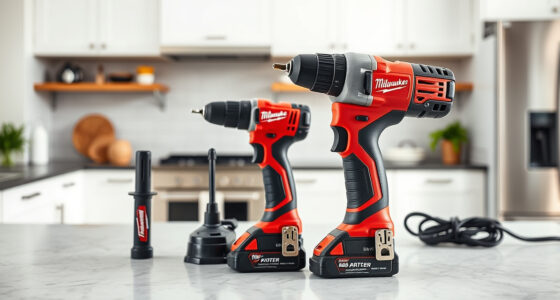
If your Milwaukee M18 charger is blinking red and not charging your batteries properly, it can be frustrating and halt your work. The red blinking light often signals a problem that needs troubleshooting. Fortunately, most issues are fixable with some simple steps, saving you time and money.

Get business pricing on garage and car supplies
- Business-only prices and quantity discounts
- Tax-exempt purchasing
- Multiple users, one account, clear invoices
In this guide, you’ll learn practical, safe methods to diagnose and resolve why your Milwaukee charger blinks red. We will cover common causes, step-by-step solutions, tips, and warnings to ensure you handle everything correctly and safely, getting your tools back to work quickly.
Key Takeaways
| Identify blinking pattern | Red blinking indicates specific issues like battery or charger faults. |
| Check battery compatibility | Ensure the battery is compatible and correctly seated. |
| Inspect for damage | Look for physical damage on batteries and charger ports. |
| Reset and clean connections | Reset the charger and clean contacts for proper connection. |
| Replace faulty components | Replace batteries or charger if hardware failure is confirmed. |
Understanding the Red Blinking Light
The red blinking light on your Milwaukee charger is an indicator that the device has detected an issue. Different blinking patterns can mean different problems, such as overcurrent, overheating, bad batteries, or charger faults. Refer to your user manual for exact pattern meanings, but generally, a slow blinking indicates a charging issue, while fast blinking may suggest a fault or error condition.
Knowing what the blinking pattern signifies helps you troubleshoot more effectively, allowing you to target the root cause rather than guessing or replacing parts prematurely.
Step 1: Ensure Proper Battery Seating and Compatibility
- Remove the battery from the charger and inspect for any dirt, dust, or corrosion on the contacts.
- Clean the contacts gently with a dry cloth or a soft brush to remove debris.
- Reinsert the battery, making sure it clicks firmly into place.
- Verify that your battery is compatible with the charger. The Milwaukee M18 batteries, such as the 5.0 Ah XC or 6.0 Ah high output, are designed for rapid charging with this charger model.
- If you’re using an older or third-party battery, consider replacing it with a Milwaukee-compatible one.
This step ensures that poor connection or incompatible batteries aren’t causing the blinking red light.
Step 2: Check for Physical Damage and Overheating
Inspect both the battery and the charger for visible damage such as cracks, burns, or warping. Overheating can cause the charger to blink red to prevent damage.
- Feel the charger and battery for excessive heat. If they are hot, turn off the charger and let everything cool down for 15-30 minutes.
- Ensure the charger is placed in a well-ventilated area away from direct sunlight or heat sources.
- Check the charging port and contacts for corrosion or debris, and clean gently if needed.
If physical damage or overheating is evident, replacing the damaged component is necessary for safe operation.
Step 3: Reset the Charger and Test with a Different Battery
Resetting the charger can resolve minor electronic glitches:
- Unplug the charger from the power outlet.
- Remove the battery and wait for 30 seconds.
- Plug the charger back in, then reinsert a fully charged, compatible battery.
- Observe the blinking pattern to see if it changes or the charger begins to charge normally.
If the red blinking persists, try charging a different known-good battery to confirm whether the problem is with the battery or the charger itself.
Step 4: Test and Replace Faulty Components
If the above steps don’t resolve the blinking red light, it may indicate a faulty charger or battery. Consider the following:
- If multiple batteries cause the same issue, the charger may be defective. Contact Milwaukee customer service or consider replacing the charger.
- If only one battery causes the blinking, that battery may be faulty. Test it with another charger or replace it with a new Milwaukee battery, such as the Milwaukee 48-11-1850R 5.0 Ah XC Extended Capacity Resistant Battery.
Always handle replacement parts carefully and ensure they are compatible with your system.
Tips and Warnings for Safe Troubleshooting
- Always unplug the charger before inspecting or cleaning it.
- Use only Milwaukee-approved batteries and chargers to prevent damage or safety hazards.
- Handle batteries carefully to avoid punctures, leaks, or fire hazards.
- If you notice swelling, leaking, or unusual smells from a battery, dispose of it properly and replace it.
- Follow local regulations for battery disposal and recycling.
- If unsure about diagnostics or repairs, contact Milwaukee customer support or a qualified technician.
The Products in This Guide

Milwaukee M18 18V Cordless Power Tool Combo Kit
- ✔ Voltage: 18V
- ✔ Number of tools: 8
- ✔ Batteries included: 3

Milwaukee Shockwave 100pcs Impact Driver Bit Set Packout
- ✔ Number of bits: 100
- ✔ Case type: Packout
- ✔ Material: Impact steel
Milwaukee M18 18V Cordless Power Tool Combo Kit
<p>The Milwaukee M18 18V Cordless Power Tool Combo Kit is a comprehensive set designed for demanding construction, remodeling, and maintenance tasks. Featuring 8 tools, 3 batteries, and a rapid charger, it offers versatility and reliable performance. The kit is ideal for professionals needing a durable, high-performance cordless system.</p>
Pros:
- Includes 8 essential tools
- 3 batteries for extended runtime
- Rapid charger minimizes downtime
- Heavy-duty storage bags included
Cons:
- Can be heavy with all tools
- Higher upfront investment
- Battery management requires care
Best for: Construction, remodeling, maintenance professionals
Not ideal for: Casual DIYers or light occasional use
Bottom line: A versatile, professional-grade tool set that offers great value for demanding jobs.
Milwaukee Shockwave 100pcs Impact Driver Bit Set Packout
<p>The Milwaukee Shockwave 100pcs Impact Driver Bit Set Packout provides a comprehensive range of impact driver bits in a durable case, perfect for expanding your toolkit. It complements your Milwaukee tools perfectly, especially when working with the M18 impact driver.</p>
Pros:
- 100 impact driver bits
- Packout case for organization
- Durable and impact-resistant bits
- Ideal for heavy-duty use
Cons:
- Bulkier case may be less portable
- Set may include some duplicates
- Not a standalone tool
Best for: Professional tradesmen and DIY enthusiasts needing impact driver bits
Not ideal for: Users looking for complete tool sets or batteries
Bottom line: A versatile, durable bit set that enhances your impact driver performance.
Frequently Asked Questions
What does a blinking red light on my Milwaukee charger mean?
It typically indicates a fault or error condition, such as overheating, bad connection, or faulty battery. Refer to the blinking pattern for specific diagnosis.
Can I fix my Milwaukee charger myself?
Many issues can be resolved through cleaning contacts, resetting the device, or replacing faulty batteries. However, if hardware damage is evident, professional repair or replacement is recommended.
Why is my battery not charging even though the charger blinks red?
The battery may be incompatible, damaged, or not seated properly. Check for debris, ensure compatibility, and try with a different battery if possible.
How do I prevent my Milwaukee charger from blinking red in the future?
Keep contacts clean, avoid overloading the charger, store in a cool, ventilated area, and use genuine Milwaukee batteries and chargers.
When should I replace my Milwaukee batteries or charger?
Replace if you notice physical damage, persistent error signals, or significantly reduced performance despite troubleshooting.
Keep Your Milwaukee Tools Charging Smoothly
By understanding what causes your Milwaukee charger to blink red and following these troubleshooting steps, you can often resolve the issue quickly and safely. Regular inspection, cleaning, and proper handling of batteries and chargers will extend their lifespan and ensure your tools are ready when you need them. If problems persist, contacting Milwaukee support or replacing faulty components is the safest choice to avoid damage or safety hazards. Stay proactive and keep your workspace powered up!
Affiliate disclosure: As an Amazon Associate we earn from qualifying purchases. Prices and availability are accurate as of the time of publishing.
Columbus Day / Indigenous Peoples' Day Picks
long weekend sales
As an affiliate, we earn on qualifying purchases.