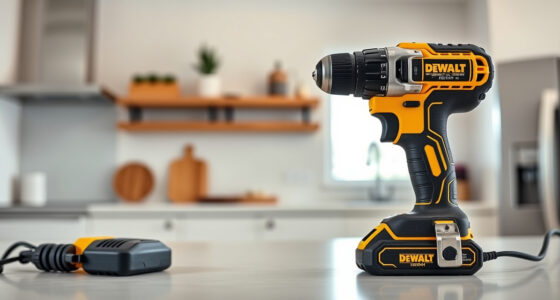

If your DEWALT power tool battery isn’t charging, it can disrupt your workflow and cause frustration. This guide provides clear, safe troubleshooting steps to identify and fix common charging problems.

Get garage and car supplies delivered free — and shop member deals
- Fast, free delivery on millions of items
- Access to Prime Big Deal Days deals on October 6–7
- Prime Video, Amazon Music and more included
Follow these instructions carefully to restore your battery’s charging function and ensure your DEWALT tools stay powered up when you need them most.
Key Takeaways
| Check the Charger and Power Source | Ensure the charger is plugged in and functioning properly. |
| Inspect the Battery | Look for damage, dirt, or corrosion on the battery contacts. |
| Test with a Known Good Charger | Use a compatible charger to determine if the issue is with the charger or battery. |
| Allow the Battery to Cool Down | Overheated batteries may refuse to charge; let them cool before trying again. |
| Reset or Replace the Battery or Charger | Sometimes a reset or replacement is necessary for persistent issues. |
Check Your Power Source and Charger
- Verify the outlet is working by plugging in another device.
- Ensure the charger’s power cord is securely connected.
- Inspect the charger for any visible damage or burnt smells.
Inspect the Battery Contacts
- Remove the battery from the tool.
- Clean the metal contacts on the battery and charger with a dry cloth or a soft brush.
- Check for corrosion, dirt, or damage that could interfere with charging.
Test with a Different Charger or Battery
- If available, try charging the battery with a different, compatible DEWALT charger.
- Alternatively, test the charger with a known working battery.
- This helps identify whether the issue lies with the battery or charger.
Allow the Battery to Cool and Retry
If the battery feels hot, let it cool down for at least 30 minutes before attempting to charge again. Overheated batteries may temporarily refuse to charge, and cooling can resolve this issue.
Reset or Replace Components
If none of the prior steps work, consider replacing the battery or charger. Sometimes, batteries lose their ability to hold a charge over time, or chargers may fail.
The Products in This Guide

DEWALT 20V MAX Cordless Drill Driver Set
- ✔ Weight: 3.4 lbs
- ✔ Chuck Size: 1/2 inch
- ✔ Lighting: LED with 20 sec delay

DEWALT Drill Bit Set
- ✔ Size Range: Various
- ✔ Coating: Black & Gold
- ✔ Design: Split point
DEWALT 20V MAX Cordless Drill Driver Set
The DEWALT 20V MAX Cordless Drill Driver Set is a versatile and durable tool ideal for a wide range of applications. When faced with charging issues, troubleshooting the charger, battery contacts, and temperature can often resolve the problem without replacement.
Pros:
- Brushless motor offers more run time
- Compact and lightweight design
- LED light improves visibility
- Includes 2.0 Ah battery and charger
Cons:
- Battery may degrade over time
- Charger can fail if damaged
- Requires proper maintenance for longevity
Best for: DIY enthusiasts and professional contractors needing reliable cordless power
Not ideal for: Inconsistent charging habits or damaged components may require replacement
Bottom line: Ensure proper maintenance and check components regularly to keep your DEWALT tools charging smoothly.
DEWALT Drill Bit Set
Complement your DEWALT drill with this 14-piece drill bit set, designed for plastic, wood, and metal. These bits are durable and resist rust, making them a great addition for any toolbox.
Pros:
- Includes 14 pieces for varied applications
- High Speed Steel construction
- Split point tip reduces walking
- 3-flats shank prevents spin-out
Cons:
- Only suitable for drill bit tasks, not batteries
- Limited to specific materials
- Requires compatible drill for best performance
Best for: Home improvement projects and professional use
Not ideal for: Not designed for heavy-duty or industrial applications
Bottom line: A reliable, versatile drill bit set to enhance your drilling tasks.
Frequently Asked Questions
Why isn’t my DEWALT battery charging?
Common causes include dirty contacts, overheating, a faulty charger, or a damaged battery. Follow troubleshooting steps to identify the issue.
How can I tell if my battery is dead?
If the battery doesn’t hold a charge after multiple attempts or shows no LED indicator activity, it may need replacement.
Can I use a different charger with my DEWALT batteries?
Use only compatible DEWALT chargers designed for your battery model to avoid damage or safety hazards.
How often should I maintain my batteries and charger?
Regularly clean contacts and inspect for damage. Store batteries in a cool, dry place and avoid overcharging or deep discharging.
Keep Your DEWALT Power Tools Ready to Work
By following these troubleshooting steps, you can often resolve common charging issues with your DEWALT batteries and chargers. Proper maintenance and regular checks will extend the lifespan of your tools, ensuring they are always ready for your next project.
Affiliate disclosure: As an Amazon Associate we earn from qualifying purchases. Prices and availability are accurate as of the time of publishing.
Evergreen bestsellers Picks
bestsellers
As an affiliate, we earn on qualifying purchases.