
TL;DR
Building an AI workstation used to be cheaper, but in 2026, prebuilts often match or beat DIY costs due to supply shortages and bulk buying. Your choice depends on time, control, and reliability priorities, not just price.
Imagine turning on your AI workstation and having it roar to life, ready to train models or run inferences in minutes. No fuss, no troubleshooting, just plug in and go. That’s the promise of a prebuilt system, but is it the right choice for you? Or do you still get more bang for your buck building your own?
This decision isn’t just about price anymore. Supply chain issues, component shortages, and the rising complexity of AI workloads have shaken up the traditional build vs buy landscape. Today, your choice hinges on more than just saving a few dollars — it’s about time, reliability, control, and peace of mind. Let’s unpack what each option really offers—and what it costs you in the end.
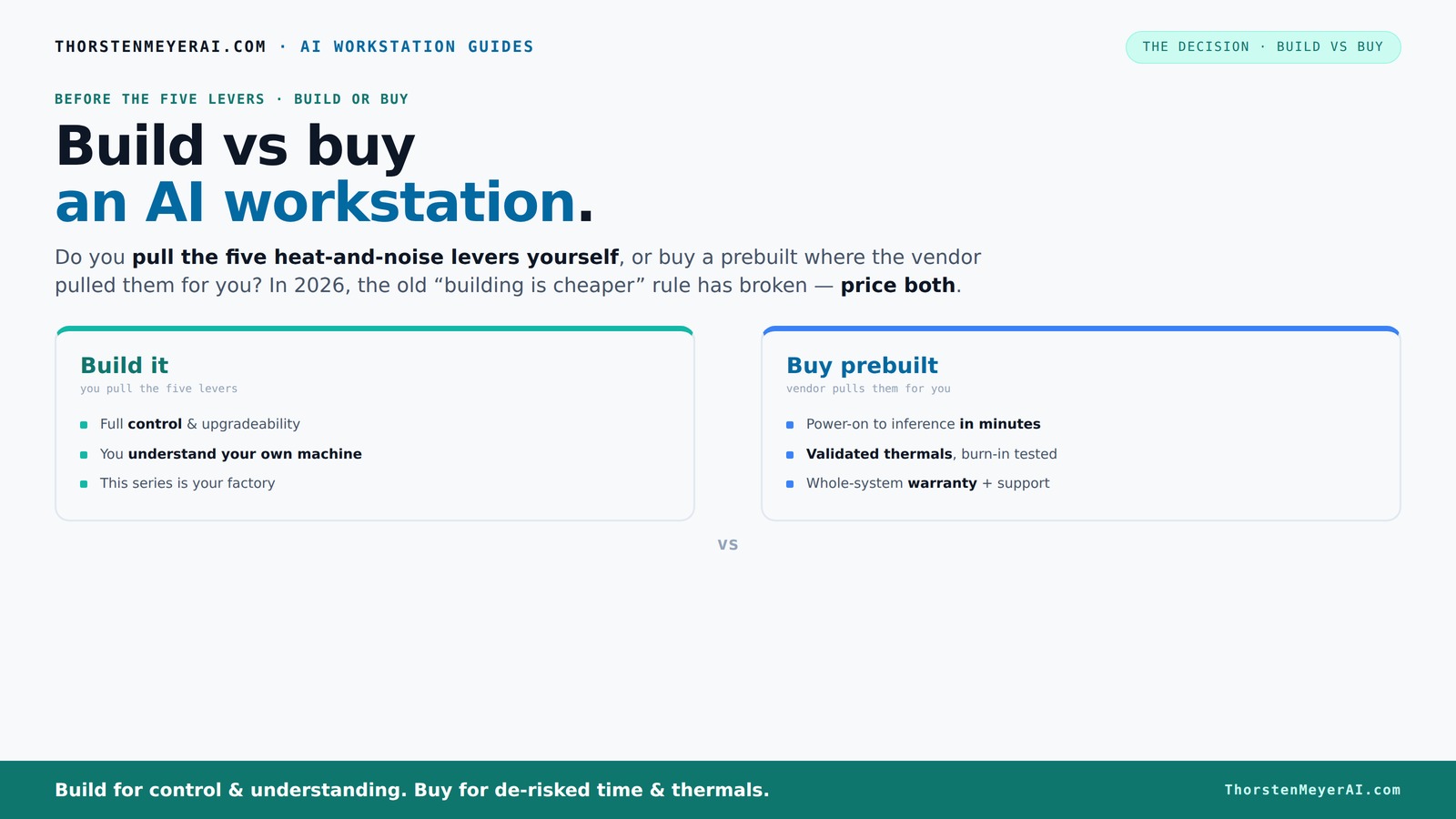
Build vs buy
an AI workstation.
The real question behind this whole series: do you pull the five heat-and-noise levers yourself, or buy a prebuilt where the vendor pulled them for you? And in 2026, the old “building is cheaper” rule has broken. Match your situation in Part 3.
Key Takeaways
- Component shortages in 2026 have narrowed the price gap between building and buying AI workstations, making it essential to compare specific configurations.
- Prebuilts save time with validated thermals, preinstalled software, and support, but may limit future upgrades due to proprietary parts.
- Building your own rig offers customization and potential savings but requires technical skills, patience, and troubleshooting ability.
- Prioritize GPU VRAM, RAM capacity, and storage speed based on your AI workload—these are often the bottlenecks.
- Consider upgrade paths carefully—standard systems are easier to expand, while proprietary prebuilts might restrict future growth.

WIWB Gaming PC Desktop Core I9-14900HX, GeForce RTX 5060 Ti 8G, 16G DDR5 RAM, 1TB NVME SSD, WiFi 6, 4K 8K High-End Prebuilt PC Computer Tower for Streaming, Video Editing & Workstation Use (Black)
UNSTOPPABLE PROCESSING POWER: Powered by the Intel Core i9-14900HX processor (24 Cores, 32 Threads) with a max turbo...
As an affiliate, we earn on qualifying purchases.
As an affiliate, we earn on qualifying purchases.
Why 2026 Changes Everything About Building or Buying
In 2026, building your own AI workstation isn’t automatically cheaper anymore. Major component shortages have driven prices for GPUs, DDR5 RAM, and SSDs sky-high—sometimes up 30-50% from last year. Meanwhile, big vendors bought in bulk early on, locking in lower prices and passing some savings to you.
For example, a DIY build that cost around $1,250 last year now edges above $1,500. But a prebuilt from a top-tier vendor can still come in under that, with the added perks of validated thermals and warranty support. The old rule—build cheaper, buy faster—no longer applies as simply as it did.
Now, your decision hinges on weighing actual costs, time investment, and the level of control you want. Because if the parts are close in price, what matters more is how quickly and reliably you get your machine up and running.
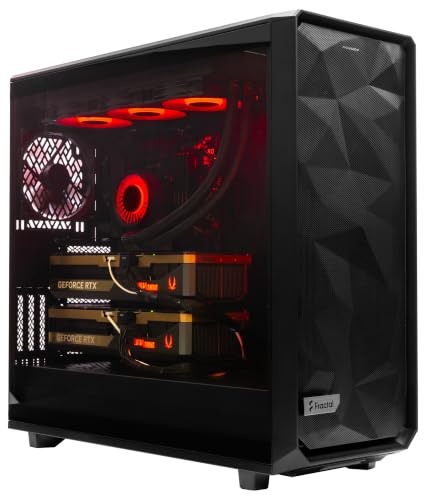
ArsenalPC MES2X Dual GPU AI Workstation - AMD Ryzen 9-9950X3D2 16 core 4.3GHz - Dual GPU GeForce RTX 5090-8TB (2x4TB RAID) NVMe SSD - 256GB DDR5-1600W - Windows 11 Pro - Liquid Cooled
A M D R9-9950X3D2 4.3GHz 16 core | 256GB DDR5 RAM
As an affiliate, we earn on qualifying purchases.
As an affiliate, we earn on qualifying purchases.
The Five Levers of a High-Power AI Workstation—and Who Pulls Them
A high-performance AI machine is like a furnace—heat, noise, and stability are the battlefields. The five levers that control these factors are undervolting the GPU, matching the cooler, optimizing airflow, tuning fans, and proper placement. Who pulls these levers makes a huge difference.
If you buy a prebuilt, the vendor handles these adjustments—validated, tested, and tuned. They run burn-in tests, optimize fan curves, and often include water cooling for quieter, cooler operation. It’s a factory-tuned beast, ready to perform under sustained loads.
Build it yourself? You become the engineer. You select a quiet GPU, undervolt it ([see here](https://thorstenmeyerai.com/undervolt-gpu-local-inference/)), choose a cooling solution ([see here](https://thorstenmeyerai.com/quiet-cpu-coolers-ai-workstation/)), and set up airflow ([see here](https://thorstenmeyerai.com/low-noise-pc-cases-airflow/)). It’s a lot of work, but it gives you perfect control and the chance to learn.
So, the real question: do you want to be the person pulling these levers, or pay someone else to do it for you?

STORMCRAFT Falcon AI Gaming Desktop Computer AMD Ryzen 7 7800X3D, RX 9070 XT 16G, 32GB DDR5 6000MHz, 1TB NVMe SSD, 850W PSU 360mm AIO, ARGB Fans, USB-C, Bluetooth, Wi-Fi VR Ready PC Game Design Office
Powerful Gaming Performance: R7 7800X3D CPU(8 Cores 16 Threads, 5.0GHz max) paired with RX 9070 XT 16GB delivers...
As an affiliate, we earn on qualifying purchases.
As an affiliate, we earn on qualifying purchases.
When Buying a Prebuilt Makes Your Life Easier—and When It Doesn’t
If you value plug-and-play convenience, prebuilts shine. They arrive with the OS, drivers, and AI frameworks like CUDA and TensorFlow already installed. Just power up and start training or inference—no fuss, no setup issues.
Plus, reputable vendors perform extensive testing—24 to 48 hours of burn-in—to ensure the system won’t throttle under load. They also include support and warranties, so if something breaks, you get quick fixes rather than hours of troubleshooting.
However, prebuilts sometimes use proprietary parts—like power supplies or motherboards—that may limit upgrade options later. And if your workload needs a specific GPU or custom storage setup, prebuilt options might not fit perfectly.
In essence, prebuilts are ideal if your priority is speed, reliability, and less hassle. But they might come with some compromise in flexibility.

NVD RTX PRO 6000 Blackwell Professional Workstation Edition Graphics Card for AI, Design, Simulation, Engineering - 96GB DDR7 ECC Memory - 4th Gen RT/5th Gen Tensor Core GPU - OEM Packaging
[NVIDIA Blackwell Streaming Multiprocessor] The new SM features increased processing throughput, and new neural shaders that integrate neural...
As an affiliate, we earn on qualifying purchases.
As an affiliate, we earn on qualifying purchases.
Building Your Own AI Workstation: Pros, Cons & Practical Tips
Building your own system means total control. You pick each component—GPU, CPU, RAM, cooling, case—and tune everything to your exact needs. Want a super-quiet, energy-efficient rig? You can do that with automotive maintenance tools.
Plus, DIY often costs less if you’re comfortable sourcing parts ([see here](https://thorstenmeyerai.com/quiet-gpus-local-ai/)) and assembling. You can upgrade specific parts over time, extending your machine’s lifespan.
But it’s not all smooth sailing. Compatibility issues, BIOS setup, and troubleshooting can eat up your time. And if something breaks, you’re on your own unless you have the skills or support network.
Remember, the key is understanding your workload. For local LLM inference, you might need a GPU with at least 16GB VRAM. For model training, 24–48GB of RAM and a robust CPU matter too.
Ultimately, building is best if you love tinkering, want maximum customization, and don’t mind the time investment.
Price & Performance: Which Is the Better Deal Today?
Price comparisons in 2026 aren’t straightforward. A typical DIY build with high-end GPUs like an RTX 4090 can cost around $1,600 just for the GPU alone. Add a good CPU, RAM, and cooling, and you’re in the $2,000 range. For more insights, visit mostwantedspeed.com.
Meanwhile, prebuilt systems from vendors like Lambda or Puget often cost between $2,200 and $2,500 but include validated thermals, extensive testing, and support. Sometimes, they even include preinstalled AI frameworks and optimized drivers.
Here’s a quick comparison:
| Feature | Build | Prebuilt |
|---|---|---|
| Price | Typically lower, but depends on parts | Often similar or slightly higher, but includes support |
| Time to deploy | Weeks, depending on parts and assembly | Days—just plug and play |
| Thermal validation | Self-managed | Vendor-tested and validated |
| Upgrade flexibility | High | Limited, depends on proprietary parts |
In the end, it depends on whether you value control or convenience more—and how much you’re willing to pay for each.
What Matters Most for Your AI Work? GPU, VRAM, or Something Else?
For AI workloads, your choice of GPU and VRAM often matters most. A model inference system might run smoothly with a single RTX 4090 (24GB VRAM), but training large models needs multiple GPUs or higher VRAM—Learn more about leasing options.sometimes 40GB or more per card.
RAM capacity and bandwidth are just as critical. If you’re doing data science or fine-tuning, 128GB of fast DDR5 RAM can make a difference. Storage speed—NVMe SSDs—affects how quickly datasets load and models save or restore.
For example, a researcher training a GPT-3-sized model needs a supercharged GPU, 256GB RAM, and fast storage to handle the data throughput without bottlenecks. Ignoring these specs can slow down your project or cause failures.
Before buying or building, map out your workload’s demands. It’s not just about throwing the latest hardware in; matching specs to your use case saves money and boosts performance.
Upgrade Paths and Future-Proofing: Can You Expand Later?
Future-proofing means planning for upgrades—more RAM, additional storage, or even swapping out GPUs down the line. Custom builds usually offer a straightforward upgrade path: standard ATX motherboards, open PCIe slots, and accessible RAM slots make it easy.
Prebuilts? It varies. Some use proprietary connectors or limited expansion slots that complicate upgrades. Always check if the system supports adding another GPU or more RAM before buying.
Suppose you start with a single GPU but want to add another in two years. A build with a standard ATX motherboard and good power supply makes this simple. If you buy a prebuilt with proprietary parts, your options might be limited or more expensive.
This is especially important for AI, where workloads grow quickly, and hardware can become a bottleneck in just a year or two.
Frequently Asked Questions
Is it cheaper to build or buy a prebuilt AI workstation?
In 2026, component shortages have made prebuilts often as affordable as DIY builds, especially when factoring in time and support costs. However, if you’re skilled and willing to spend time, building can still be cheaper for similar specs.Will a prebuilt AI workstation perform as well as a custom build?
Yes, especially if you choose a reputable vendor. Many prebuilts undergo extensive testing and optimization, ensuring reliable performance under sustained loads. They often include features like validated thermals and noise control that are hard to match DIY.What parts matter most for AI work: GPU, VRAM, RAM, or storage?
GPU VRAM and the number of GPUs are critical for training large models. RAM capacity and speed matter for data handling and inference, while fast NVMe SSDs reduce dataset load times. Prioritize based on your specific workload.How much upgradeability do prebuilt systems offer?
It varies. Standard ATX systems usually support easy upgrades—more RAM, additional drives, extra GPUs. Proprietary prebuilts might limit expansion, so check compatibility before buying if future growth matters.Are prebuilts reliable, or do they use lower-quality parts?
Reputable vendors use quality components and rigorous testing, making prebuilts generally reliable. However, always review specific models to confirm component quality—some may use proprietary or lower-tier parts for cost savings.Conclusion
Choosing between building and buying your AI workstation in 2026 isn’t just about saving money. It’s about matching your workflow, skills, and risk tolerance. The best system is the one that gets you working quickly, reliably, and ready for the future.
Remember, a well-chosen prebuilt can be just as powerful and flexible—sometimes more so—than a DIY. But if you love tinkering, building your own rig offers unmatched control and learning. Your move.