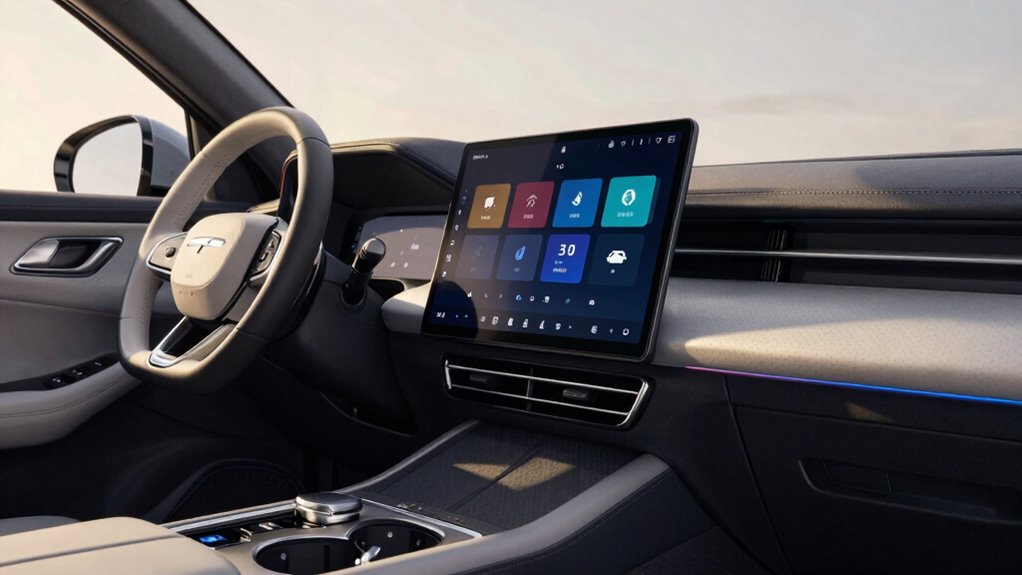

To choose a head unit that fits your daily routine, focus on compatibility with your devices, ensuring it supports Bluetooth and Wi-Fi for seamless streaming and calls. Prioritize user-friendly features like quick-access buttons, voice control, and clear displays for safe, easy use during drives. Measure your dashboard to find the right size and check compatibility with your vehicle’s audio system. Keep future-proofing in mind, so your system stays up-to-date; there’s more to uncover for a perfect fit.

Get business pricing on garage and car supplies
- Business-only prices and quantity discounts
- Tax-exempt purchasing
- Multiple users, one account, clear invoices
Key Takeaways
- Measure your dashboard space to ensure the head unit fits properly and matches your vehicle’s dimensions.
- Prioritize user-friendly features like quick access buttons and voice control for easy operation on the go.
- Verify device compatibility, including Bluetooth and Wi-Fi standards, to prevent connection issues during daily use.
- Choose a head unit with a clear display and responsive interface for safe, distraction-free navigation and control.
- Opt for future-proof options supporting latest tech standards and smart device integration to adapt to evolving routines.

When upgrading your vehicle’s audio system, choosing the right head unit is a critical first step. Your daily routine heavily depends on how seamlessly your car’s entertainment and connectivity features work, so making an informed choice matters. The right head unit should fit your lifestyle, whether you’re commuting, running errands, or embarking on road trips. One of the top features to consider is wireless connectivity, like Bluetooth or Wi-Fi, which allows you to easily connect your smartphone without fumbling with cords. This feature streamlines your experience, letting you stream music, make hands-free calls, and access apps effortlessly while focusing on the road.
However, wireless connectivity can sometimes introduce compatibility issues. Not all head units support every device or operating system, so before you buy, you need to verify that your smartphone or other gadgets will work smoothly. Check the specifications for compatibility with your device’s Bluetooth version or Wi-Fi standards. If you frequently use voice assistants or specific apps, ensure the head unit supports these features. Compatibility issues can cause frustration, such as dropped connections or limited functionality, which can disrupt your daily routine. So, taking the time to research and confirm device compatibility saves you from headaches later.
Beyond connectivity, think about your typical driving environment. If you’re often on long drives, investing in a head unit with a user-friendly interface and clear display becomes essential. You want controls that are easy to navigate without taking your eyes off the road. If your routine involves quick stops and tight schedules, look for features like quick access buttons, voice control, or a responsive touchscreen. These features help you change playlists, answer calls, or adjust settings swiftly, without distraction. Additionally, considering hardware compatibility ensures that the head unit seamlessly integrates with your vehicle’s existing setup without requiring extensive modifications.
Another factor is whether your vehicle’s dashboard can accommodate the head unit’s size and design. Measure your space carefully to ensure a proper fit. Some head units are versatile with adaptable mounting options, making installation easier and more compatible with different cars. Additionally, consider how the head unit integrates with your existing speakers and audio setup. Some models offer advanced sound tuning or equalizer features that can enhance your listening experience, aligning the system with your preferences. Upgrading to a compatible audio technology can also improve sound quality and usability.
Furthermore, choosing a head unit with template compatibility can simplify installation and integration, especially if you plan to upgrade other components or customize your dashboard. When selecting a device, remember that technology standards, such as Bluetooth and Wi-Fi, evolve over time, so opting for a model that supports the latest versions can future-proof your setup. It’s also worthwhile to explore integration options that allow you to connect with other smart devices in your vehicle or home. In essence, choosing a head unit that fits your everyday routine isn’t just about the latest features; it’s about how well it integrates into your lifestyle. Prioritize wireless connectivity that’s compatible with your devices, ensure there are no compatibility issues, and select a model that’s easy to operate in your daily driving scenarios. When you make a thoughtful choice, your upgraded system becomes a seamless part of your routine, making every drive more enjoyable and less stressful.
best Bluetooth car stereo head units
As an affiliate, we earn on qualifying purchases.
As an affiliate, we earn on qualifying purchases.
Frequently Asked Questions
Can I Install a Head Unit Myself Without Professional Help?
Yes, you can install a head unit yourself, but be prepared for installation challenges like wiring and fitting issues. If you’re comfortable with basic tools and troubleshooting, it’s doable. Make sure your aftermarket head unit is compatible with your car’s make and model. Carefully research the process, gather the right adapters, and follow detailed instructions to avoid damaging your vehicle or the new unit.
What Features Should I Prioritize for Daily Commuting?
Imagine your daily commute as a smooth, seamless journey. Prioritize sound quality so every song feels like a personal concert, and a user-friendly interface that lets you navigate easily without distraction. Clear, crisp audio keeps you energized, while intuitive controls mean less time fiddling and more time enjoying the ride. Focus on features that enhance comfort and convenience, turning your commute into a relaxing, enjoyable part of your day.
Are There Compatibility Issues With My Car’s Existing System?
Yes, compatibility issues can arise with your car’s existing system. You should check the aftermarket compatibility of the head unit to guarantee it works seamlessly with your vehicle’s factory integration. Some models may require additional adapters or wiring harnesses. Before buying, verify that the head unit supports your car’s make and model, and consult your vehicle’s manual or a professional installer to avoid compatibility problems and ensure smooth integration.
How Important Is Bluetooth Connectivity for Everyday Use?
Bluetooth connectivity is your digital lifeline, turning your head unit into a bridge between you and your world. It’s essential for wireless streaming, allowing your favorite tunes to flow seamlessly. Plus, hands-free calls keep you connected without distraction, like having a conversation in your pocket. Without it, you risk losing convenience and safety, turning your drive into a disconnected journey. So, prioritize Bluetooth for a smarter, safer, and more enjoyable ride.
What’s the Average Lifespan of a Modern Head Unit?
Modern head units typically last about 5 to 10 years, depending on usage and care. You’ll notice their lifespan through consistent audio quality and power output. If your head unit maintains clear sound and sufficient power for your audio needs, it’s still functioning well. Regular updates and gentle handling can extend its life. Keep an eye on any declining performance to decide when it’s time for a replacement.
As an affiliate, we earn on qualifying purchases.
Conclusion
Ultimately, picking the right head unit is about finding a good fit for your daily rhythm. Think of it as matching your style with a piece of well-loved clothing—you want something that feels just right without fuss or compromise. When you choose wisely, your drive becomes a little more seamless and enjoyable. So, take your time and select a unit that complements your routine—after all, a smooth ride starts with the right upgrade.
touchscreen car stereo with voice control
As an affiliate, we earn on qualifying purchases.
As an affiliate, we earn on qualifying purchases.
vehicle dashboard compatible head unit
As an affiliate, we earn on qualifying purchases.
As an affiliate, we earn on qualifying purchases.
Halloween Picks
halloween
As an affiliate, we earn on qualifying purchases.