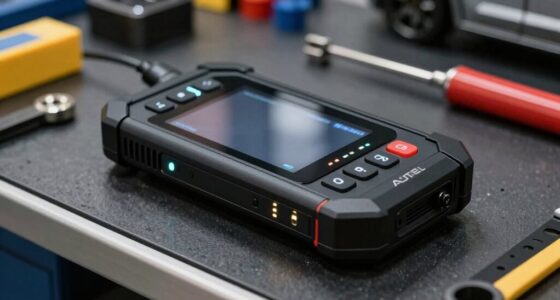
If you’re searching for OBD2 scanners for iPhone, you’re likely after a reliable, easy-to-use solution that seamlessly connects to your device. The BlueDriver OBD2 Scanner Bluetooth stands out as the best overall pick thanks to its extensive support for vehicle systems and no subscription fee. The Veepeak OBDCheck BLE Bluetooth Scanner offers great value for those on a budget, while the FIXD Bluetooth OBD2 Scanner makes diagnostics straightforward for beginners. However, tradeoffs include compatibility issues with older vehicles or limited advanced features in some models. Continue reading for a detailed breakdown of these options and how to choose the right one for your needs.

Get business pricing on garage and car supplies
- Business-only prices and quantity discounts
- Tax-exempt purchasing
- Multiple users, one account, clear invoices
Complete the kit


Key Takeaways
- The best overall OBD2 scanner for iPhone combines broad vehicle support, user-friendly app interface, and reliable Bluetooth connectivity.
- Value-minded options often sacrifice some advanced diagnostic features but still provide accurate basic fault codes and live data.
- Premium picks prioritize build quality and extensive system support, making them suitable for DIY enthusiasts and professionals alike.
- Compatibility with specific car brands (like BMW or Mini) can influence the choice; specialized adapters deliver better results for certain vehicles.
- Ease of setup and app usability are critical for beginners, while advanced users may seek deeper data and customization options.
| BlueDriver OBD2 Scanner Bluetooth, No Subscription, Supports ABS, SRS, TPMS |  | Best Overall for Professional-Grade Diagnostics | Compatibility: Gas vehicles 1996+ and select light-duty trucks | Connectivity: Bluetooth | Supported Systems: Engine, ABS, SRS, Airbag, TPMS, Transmission | VIEW ON AMAZON | See Our Full Breakdown |
| Veepeak OBDCheck BLE Bluetooth OBD II Scanner for iOS & Android |  | Best Value for Basic Diagnostics on Most Vehicles | Compatibility: Most 1996+ cars and light trucks in the US | Connection: Bluetooth LE | Supported Apps: Car Scanner, Torque, OBD Fusion, BimmerCode, BimmerLink, OBD JScan, Dr. Prius | VIEW ON AMAZON | See Our Full Breakdown |
| Car OBD2 Bluetooth Scanner for iOS and Android |  | Best for DIY Car Diagnostics with Compatibility and Features | Compatibility: Most 12V gas/diesel cars from 1996+ | Protocols: Supports 9 OBDII protocols | App Compatibility: Torque Pro, Dashcommand, Car Scanner, OBD Fusion, others | VIEW ON AMAZON | See Our Full Breakdown |
| OBD2 Bluetooth Scanner Car Code Reader for iOS, Android, and Windows | 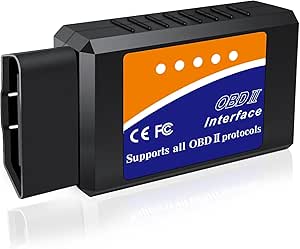 | Best Cross-Platform Compatibility for Versatile Use | Compatibility: Most 1996+ vehicles | Supported Protocols: J1850 PWM, J1850 VPW, ISO9141-2, ISO14230-4, ISO15765-4 | Device Compatibility: iOS, Android, Windows | VIEW ON AMAZON | See Our Full Breakdown |
| FIXD Bluetooth OBD2 Scanner – Car Diagnostic Check Engine Code Reader |  | Best for User-Friendly Explanations and Maintenance Alerts | Compatibility: Gasoline & hybrid vehicles 1996+; diesel vehicles 2006+ | Connectivity: Bluetooth | Supported Features: Code reading, explanations, repair tips | VIEW ON AMAZON | See Our Full Breakdown |
| OBD2 Bluetooth 5.1 Car Diagnostic Scanner Adapter for iPhone & Android |  | Best Wireless Protocol Support and Compatibility | Bluetooth Version: 5.1 | Protocols Supported: SAE J1850 PWM, SAE J1850 VPW, ISO9141-2, ISO14230-4 KWP, ISO15765-4 CAN | Vehicle Compatibility: Most 12V gasoline-powered OBD-II vehicles | VIEW ON AMAZON | See Our Full Breakdown |
| OBD2 Bluetooth Wireless Car Diagnostic Tool for iPhone & Android |  | Best for Beginners and Basic Diagnostics | Compatibility: Vehicles built after 1996 (North America), 2000 (Asia), 2003 (Europe) | Connectivity: Bluetooth LE for iOS & Android | App: Free ‘AutoOBDII’ app, no subscription required | VIEW ON AMAZON | See Our Full Breakdown |
| OBDLink CX BimmerCode Bluetooth 5.1 OBD2 Adapter for BMW/Mini |  | Best for BMW/Mini Vehicle Coding and Diagnostics | Compatibility: BMW and Mini vehicles | Bluetooth Version: 5.1 | App Compatibility: iPhone/iOS and Android | VIEW ON AMAZON | See Our Full Breakdown |
| OBD2 Scanner Diagnostic Tool for iOS & Android, Bluetooth 5.4 |  | Best for Wide Compatibility and Advanced Data Visualization | Protocols Supported: 9 | Compatibility: 96% of makes from 1996 to present | Connectivity: Bluetooth 5.4 | VIEW ON AMAZON | See Our Full Breakdown |
| FOXWELL NT301 OBD2 Scanner Live Data Diagnostic Code Reader Tool |  | Best for Professional-Grade Data and User-Friendly Interface | Display: 2.8-inch color screen | Compatibility: Most 1996+ gasoline cars, trucks, SUVs | Protocols Supported: KWP2000, J1850 VPW, ISO9141, J1850 PWM, CAN | VIEW ON AMAZON | See Our Full Breakdown |
| BlueDriver OBD2 Scanner Bluetooth, No Subscription, ABS SRS TPMS |  | Best Overall for Comprehensive Wireless Diagnostics | Brand: BlueDriver | Model Number: LSB2 | Vehicle Compatibility: Gas vehicles 1996+ | VIEW ON AMAZON | See Our Full Breakdown |
| OBDLink MX+ OBD2 Bluetooth Scanner for iPhone, Android, and Windows |  | Best for Multi-Platform Compatibility and Advanced Diagnostics | Brand: OBDLink | Model Number: MX201 | Compatibility: iPhone, Android, Windows | VIEW ON AMAZON | See Our Full Breakdown |
| ANCEL AD310 Classic Universal OBD II Scanner Car Engine Fault Code Reader CAN Diagnostic Scan Tool | 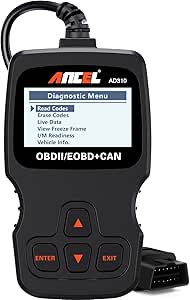 | Best for Beginners and Basic Diagnostics | Brand: ANCEL | Model: AD310 | Supported Protocols: KWP2000, J1850 VPW, ISO9141, J1850 PWM, CAN | VIEW ON AMAZON | See Our Full Breakdown |
| ANCEL AD410 Enhanced OBD2 Scanner Vehicle Code Reader for Check Engine Light |  | Best for Quick, No-Fuss Engine Diagnostics | Compatibility: Most 1996+ vehicles | Display: 2.4-inch color screen | Protocols Supported: CAN, ISO9141, KWP2000, J1850 VPW, J1850 PWM | VIEW ON AMAZON | See Our Full Breakdown |
| Panlong Bluetooth OBD2 Scanner for iPhone and Android |  | Best for App-Driven, Multi-Protocol Vehicle Monitoring | Compatibility: iOS and Android | Protocols Supported: 9 OBDII protocols | Vehicle Compatibility: 1996 US, 2000 EU, Asian 12V gas/diesel | VIEW ON AMAZON | See Our Full Breakdown |
| obd2 scanners for iphone | Compatibility |
|---|---|
| BlueDriver OBD2 Scanner Blueto | Gas vehicles 1996+ and select light-duty trucks |
| Veepeak OBDCheck BLE Bluetooth | Most 1996+ cars and light trucks in the US |
| Car OBD2 Bluetooth Scanner for | Most 12V gas/diesel cars from 1996+ |
| OBD2 Bluetooth Scanner Car Cod | Most 1996+ vehicles |
| FIXD Bluetooth OBD2 Scanner | Gasoline & hybrid vehicles 1996+; diesel vehicles 2006+ |
| OBD2 Bluetooth 5.1 Car Diagnos | — |
| OBD2 Bluetooth Wireless Car Di | Vehicles built after 1996 (North America), 2000 (Asia), 2003 (Europe) |
| OBDLink CX BimmerCode Bluetoot | BMW and Mini vehicles |
| OBD2 Scanner Diagnostic Tool f | 96% of makes from 1996 to present |
| FOXWELL NT301 OBD2 Scanner Liv | Most 1996+ gasoline cars, trucks, SUVs |
| BlueDriver OBD2 Scanner Blueto | — |
| OBDLink MX+ OBD2 Bluetooth Sca | iPhone, Android, Windows |
| ANCEL AD310 Classic Universal | — |
| ANCEL AD410 Enhanced OBD2 Scan | Most 1996+ vehicles |
| Panlong Bluetooth OBD2 Scanner | iOS and Android |
More Details on Our Top Picks
BlueDriver OBD2 Scanner Bluetooth, No Subscription, Supports ABS, SRS, TPMS
This scanner stands out for its comprehensive system coverage and technician-verified reports, making it ideal for DIYers who want professional-level diagnostics without ongoing fees. Compared with the FIXD Bluetooth OBD2 Scanner, BlueDriver offers support for advanced systems like ABS, SRS, and TPMS, which are essential for thorough troubleshooting. The main tradeoff is that it requires a compatible smartphone and some technical know-how to interpret the detailed data. Its wireless Bluetooth connection makes it convenient for quick scans and live data monitoring, while the broad vehicle support enhances its versatility. However, advanced features might be overwhelming for casual users, and it’s limited to vehicles with OBDII ports from 1996 onward.
Pros:- Wireless Bluetooth connection for seamless use
- Supports a wide range of vehicle systems including ABS and SRS
- No subscription fees, one-time purchase
Cons:- Requires a compatible smartphone or tablet
- Advanced diagnostics may require more technical knowledge
Best for: Professional DIY mechanics or car enthusiasts seeking detailed diagnostics and repair reports
Not ideal for: Casual users or those with basic needs, as the setup and data interpretation may be complex
- Compatibility:Gas vehicles 1996+ and select light-duty trucks
- Connectivity:Bluetooth
- Supported Systems:Engine, ABS, SRS, Airbag, TPMS, Transmission
- Coverage:Supports makes including GM, Ford, Stellantis, Toyota, Honda, Nissan, Mazda, Subaru, Hyundai, Mercedes-Benz, BMW, VW
- Support for New Models:Enhanced on select 2024+ Nissan and Mazda models
- Power Source:OBDII port
Our verdict“This pick is best suited for users who need detailed, professional-level diagnostics in a wireless format.”
Veepeak OBDCheck BLE Bluetooth OBD II Scanner for iOS & Android
The Veepeak OBDCheck BLE offers reliable basic diagnostics for most 1996+ vehicles, making it ideal for everyday car owners who want quick trouble code readings and live data. Unlike the BlueDriver, it does not support advanced systems like ABS or SRS, limiting its use for thorough repairs. Its main advantage is compatibility with multiple popular apps like Torque and OBD Fusion at a very affordable price, though it relies heavily on third-party apps for operation, which may involve additional costs or setup time. This makes it a practical choice for those who prefer a straightforward, compatible scanner without the need for advanced diagnostics or technician reports. It’s best for users with simple needs, not those troubleshooting complex vehicle systems.
Pros:- Wireless Bluetooth LE connection compatible with iOS and Android
- Supports multiple popular diagnostic apps
- Affordable and easy to use for basic functions
Cons:- Requires third-party apps which may involve additional costs
- Limited to basic diagnostics, no ABS or SRS support
Best for: Casual car owners or beginners needing basic code reading and live data monitoring
Not ideal for: Advanced DIYers or professionals requiring comprehensive system diagnostics
- Compatibility:Most 1996+ cars and light trucks in the US
- Connection:Bluetooth LE
- Supported Apps:Car Scanner, Torque, OBD Fusion, BimmerCode, BimmerLink, OBD JScan, Dr. Prius
- Limitations:No support for ABS/SRS or advanced diagnostics
- Support Vehicle Types:Most 12V gas/diesel cars and light trucks
- Support for New Models:Basic support for 1996+ vehicles
Our verdict“This scanner is well-suited for owners who want simple, reliable diagnostics without extra features or subscriptions.”
Car OBD2 Bluetooth Scanner for iOS and Android
This compact scanner offers broad compatibility with most 1996+ vehicles, supporting multiple popular apps like Torque and OBD Fusion, making it a flexible tool for DIYers. It supports a wide array of functions, including live data, VIN reading, and performance tests, comparable to the FIXD but with a more portable form factor. Its main tradeoff is that it does not support advanced systems like ABS or SRS, limiting its scope for complex repairs. The setup is generally straightforward, but users need to ensure their chosen app supports all desired features. It’s a fit for those who want a versatile, portable diagnostic tool for routine maintenance and basic troubleshooting.
Pros:- Supports both iOS and Android devices via Bluetooth
- Compatible with many popular diagnostic apps
- Supports a wide range of diagnostic functions including live data and performance tests
Cons:- Limited support for ABS, SRS, or transmission systems
- Requires app installation and setup
Best for: DIY mechanics and car owners interested in versatile diagnostics on a budget
Not ideal for: Those needing advanced system diagnostics or professional-level repair reports
- Compatibility:Most 12V gas/diesel cars from 1996+
- Protocols:Supports 9 OBDII protocols
- App Compatibility:Torque Pro, Dashcommand, Car Scanner, OBD Fusion, others
- Features:VIN reading, freeze frame, live data, speed test
- Size:Compact, portable design
- Support for Vehicle Types:Gasoline and diesel (not 24V diesel or electric motorcycles)
Our verdict“This device is ideal for users who want a portable, multi-function scanner for routine diagnostics and performance checks.”
OBD2 Bluetooth Scanner Car Code Reader for iOS, Android, and Windows
This scanner supports a broad spectrum of platforms, including iOS, Android, and Windows, making it a versatile choice for users with multiple devices or shared vehicles. It covers most 1996+ vehicles and supports various protocols, giving it an edge over simpler Bluetooth-only options like the Veepeak. Its ability to read and clear codes, monitor sensors, and perform basic tests through several apps makes it a flexible, all-in-one diagnostic tool. The tradeoff is that setup can be more complex, especially for non-technical users, and features may vary depending on the app and vehicle. It’s best for users who need cross-platform compatibility and a comprehensive set of functions.
Pros:- Supports multiple platforms including iOS, Android, and Windows
- Compatible with many diagnostic apps
- Supports reading/erasing codes, live data, and sensor monitoring
Cons:- Setup and app configuration can be complex
- Features depend heavily on the app and vehicle compatibility
Best for: Multi-device households or users who need compatibility across iOS, Android, and Windows
Not ideal for: Casual users who want a plug-and-play experience without setup complexity
- Compatibility:Most 1996+ vehicles
- Supported Protocols:J1850 PWM, J1850 VPW, ISO9141-2, ISO14230-4, ISO15765-4
- Device Compatibility:iOS, Android, Windows
- Supported Apps:Torque, DashCommand, Car Scanner, Mini OBD II, others
- Functions:Read/erase codes, live data, sensor monitoring, reset
- Limitations:No specific advanced system support
Our verdict“This scanner fits users who require cross-platform flexibility and a broad range of diagnostic capabilities in one device.”
FIXD Bluetooth OBD2 Scanner – Car Diagnostic Check Engine Code Reader
The FIXD scanner emphasizes ease of use, providing clear explanations, repair suggestions, and maintenance alerts through its dedicated app, making it ideal for everyday car owners who want simple, straightforward diagnostics. It supports a wide range of vehicles from 1996 and newer, including hybrids, and simplifies the process with automatic code explanations. Compared with the BlueDriver, FIXD offers a more guided, less technical experience, though it doesn’t support advanced systems like ABS or SRS. Its main tradeoff is the lack of detailed technician reports and the need for a smartphone connection, which may limit detailed troubleshooting for experienced DIYers. It’s perfect for owners who want quick insights and maintenance tips without complexity.
Pros:- Supports a wide range of gasoline and hybrid vehicles
- Provides easy-to-understand explanations and repair suggestions
- Wireless Bluetooth connection for convenience
Cons:- No support for advanced systems like ABS/SRS
- Limited to OBD2 vehicles, no extensive diagnostics
Best for: Car owners looking for simple diagnostics with clear repair guidance
Not ideal for: Experienced DIYers or professionals needing detailed system diagnostics
- Compatibility:Gasoline & hybrid vehicles 1996+; diesel vehicles 2006+
- Connectivity:Bluetooth
- Supported Features:Code reading, explanations, repair tips
- Supported Vehicles:Most gasoline, hybrid, and some diesel vehicles
- Size:Compact and portable
Our verdict“This scanner is best for everyday drivers who want quick, understandable insights into their vehicle’s health.”
OBD2 Bluetooth 5.1 Car Diagnostic Scanner Adapter for iPhone & Android
This Bluetooth 5.1 scanner stands out for its broad protocol support, making it compatible with most 12V gasoline vehicles and popular diagnostic apps like Torque Lite and DashCommand. Compared with the OBDLink CX, it offers a simple wireless connection without advanced coding features, but it may lack manufacturer-specific data or resets. Its support for multiple protocols ensures versatility, but advanced diagnostics or manufacturer resets may be limited. This device is ideal for users who want quick, straightforward vehicle monitoring without complex features, but it’s less suited for specialized BMW or Mini coding tasks.
Pros:- Wireless Bluetooth 5.1 connection for ease of use
- Supports multiple OBD-II protocols for extensive vehicle compatibility
- Works with popular third-party diagnostic apps for versatile use
Cons:- Advanced manufacturer-specific data may not be supported for all vehicles
- Limited to standard OBD-II diagnostics; no manufacturer resets
Best for: DIYers and casual car owners seeking a versatile, wireless OBD2 scanner for standard diagnostics on most gasoline vehicles.
Not ideal for: Professional mechanics or BMW/Mini owners needing advanced coding or manufacturer-specific resets.
- Bluetooth Version:5.1
- Protocols Supported:SAE J1850 PWM, SAE J1850 VPW, ISO9141-2, ISO14230-4 KWP, ISO15765-4 CAN
- Vehicle Compatibility:Most 12V gasoline-powered OBD-II vehicles
- App Compatibility:YMOBD, Car Scanner, Torque Lite, DashCommand, inCarDoc, Auto Doctor, PCMScan, ScanMaster
- Data Displayed:Engine RPM, vehicle speed, coolant temperature, battery voltage, VIN, CID, CVN
Our verdict“This scanner is best suited for casual users wanting broad compatibility and wireless convenience without advanced features.”
OBD2 Bluetooth Wireless Car Diagnostic Tool for iPhone & Android
This entry-level Bluetooth scanner makes basic diagnostics approachable for new car owners, offering fault code reading, live data, and I/M readiness checks with a simple app interface. Unlike the more advanced OBDLink CX, it excludes features like vehicle coding or extensive manufacturer-specific diagnostics, but it covers most vehicles built after 1996. Its affordability and straightforward operation make it ideal for DIYers who want quick insights without complexity, though it isn’t suitable for hybrid or electric vehicles or those needing in-depth diagnostics. Pairing via Bluetooth may present a learning curve for some beginners, but its user-friendly app compensates for this.
Pros:- User-friendly app simplifies diagnostics for beginners
- Supports real-time data monitoring and fault code reading
- Affordable and compatible with most vehicles after 1996
Cons:- Excludes advanced diagnostics like ABS, SRS, and transmission
- Not compatible with hybrid or electric vehicles
- Bluetooth pairing may be tricky for some users
Best for: First-time car owners and DIY enthusiasts who need basic fault code reading and live data monitoring.
Not ideal for: Experienced technicians or BMW/Mini owners requiring advanced coding or manufacturer-specific resets.
- Compatibility:Vehicles built after 1996 (North America), 2000 (Asia), 2003 (Europe)
- Connectivity:Bluetooth LE for iOS & Android
- App:Free ‘AutoOBDII’ app, no subscription required
- Warranty:1-year warranty
- Firmware Updates:Free lifetime updates
Our verdict“This scanner is a solid choice for newcomers seeking simple, effective diagnostics on most non-electrified vehicles.”
OBDLink CX BimmerCode Bluetooth 5.1 OBD2 Adapter for BMW/Mini
The OBDLink CX is tailored for BMW and Mini owners who want more than just basic diagnostics. Its support for vehicle coding, live parameters, and overvoltage protection distinguishes it from generic scanners like the V011, which focuses mainly on simple fault code reading. While the BimmerCode app is sold separately, the adapter’s reliable Bluetooth 5.1 connection and advanced features make it a strong choice for enthusiasts willing to invest in specific apps. The need for additional app purchases and vehicle model compatibility limits its appeal for general users, but it excels in coding and detailed diagnostics for compatible BMW/Mini vehicles.
Pros:- Supports vehicle coding and diagnostics for BMW/Mini
- Easy in-app pairing for iOS and Android devices
- Reliable connection with advanced sleep mode and overvoltage protection
Cons:- BimmerCode app is sold separately, adding cost
- Full functionality depends on additional app purchases
- Compatibility varies by vehicle model and features
Best for: BMW and Mini owners seeking in-depth diagnostics and vehicle coding capabilities.
Not ideal for: Owners of other vehicle brands or those who prefer an all-in-one device without additional app costs.
- Compatibility:BMW and Mini vehicles
- Bluetooth Version:5.1
- App Compatibility:iPhone/iOS and Android
- Features:Vehicle coding, diagnostics, live parameters, overvoltage protection
Our verdict“This device is ideal for BMW/Mini owners who want specialized coding and diagnostics, provided they are comfortable with extra app costs.”
OBD2 Scanner Diagnostic Tool for iOS & Android, Bluetooth 5.4
The V011 OBD2 Scanner supports a broad range of vehicle makes from 1996 onward, making it a versatile choice for owners with multiple or older cars. Its Bluetooth 5.4 connection provides a fast, stable link, and the dedicated app offers detailed data visualization and troubleshooting support. While fault code clearing is limited without vehicle repair, this device compensates with comprehensive performance testing and multilingual support. Compared to the FOXWELL NT301, it offers more extensive vehicle compatibility and multilingual options, but some users may find the app setup slightly more complex.
Pros:- Supports a wide range of vehicle makes and models from 1996 onward
- Bluetooth 5.4 for fast, stable connectivity
- Multilingual app support enhances usability globally
- Includes troubleshooting tutorials for DIY diagnosis
Cons:- Fault code clearing requires repair; cannot reset codes directly
- Setup and app configuration may be complex for some users
- Limited to vehicles with OBD2 port
Best for: Owners with diverse vehicle fleets or those looking for extensive vehicle compatibility and detailed data reports.
Not ideal for: Users needing quick, basic diagnostics or those with very new electric or hybrid vehicles, which may not be supported.
- Protocols Supported:9
- Compatibility:96% of makes from 1996 to present
- Connectivity:Bluetooth 5.4
- Languages:English, German, Spanish, Finnish, French, Italian, Dutch, Portuguese, Chinese
Our verdict“This scanner suits owners with multiple vehicles or older models seeking broad compatibility and detailed diagnostics through a stable Bluetooth connection.”
FOXWELL NT301 OBD2 Scanner Live Data Diagnostic Code Reader Tool
The FOXWELL NT301 delivers a balance of professional diagnostics and ease of use, with a 2.8-inch color display that clearly shows live data and fault codes. Unlike the V011, it supports advanced features like graphing and extensive OBDII protocols, making it suitable for serious DIYers or small shops. Its plug-and-play design and broad vehicle compatibility make it accessible, but it’s limited to vehicles with OBD2 ports, and the lack of rechargeable power means it depends on vehicle connection. For those preferring a dedicated device over smartphone reliance, the NT301 offers reliable, comprehensive insights that surpass basic Bluetooth scanners.
Pros:- Easy to use with a clear color display and plug-and-play setup
- Supports live data graphing and advanced OBDII modes
- Compatible with most 1996+ gasoline vehicles and supports all major protocols
- Lifetime free software updates and 1-year warranty
Cons:- Limited to vehicles with OBD2 ports; not compatible with older models
- No rechargeable battery—requires vehicle power
- Basic for users wanting mobile diagnostics via smartphone
Best for: DIYers and small workshop owners who want professional-grade diagnostics with a simple, dedicated device.
Not ideal for: Owners seeking a Bluetooth wireless solution or those with hybrid/electric vehicles outside the supported range.
- Display:2.8-inch color screen
- Compatibility:Most 1996+ gasoline cars, trucks, SUVs
- Protocols Supported:KWP2000, J1850 VPW, ISO9141, J1850 PWM, CAN
- Live Data:Yes
- Updates:Lifetime free updates
Our verdict“This device offers robust, professional-grade diagnostics in a dedicated format, ideal for those who prefer a traditional scanner over smartphone apps.”
BlueDriver OBD2 Scanner Bluetooth, No Subscription, ABS SRS TPMS
The BlueDriver Pro stands out as the most complete wireless OBD2 scanner for iPhone users seeking professional-grade diagnostics without ongoing costs. Its support for ABS, SRS, and TPMS, combined with verified repair reports, makes it a strong choice for serious DIYers and small shops. Compared to the OBDLink MX+, BlueDriver’s user interface is more streamlined, but the latter offers broader protocol support and firmware updates, which may appeal to more tech-savvy users. The main tradeoff is that BlueDriver is limited to vehicles from 1996 onward and relies on a compatible iOS device, which might exclude some older or non-Apple users. Its one-time purchase and no subscription fee make it ideal for those who want reliable, professional diagnostics with minimal fuss.
Pros:- Wireless Bluetooth connection for hassle-free use
- Supports extensive diagnostics including ABS, SRS, and TPMS
- No subscription fees with full features included
Cons:- Limited to gas vehicles from 1996 or newer
- Requires a compatible iOS device; not Android-compatible
Best for: Apple users needing a plug-and-play, highly reliable diagnostics tool for gas vehicles 1996+
Not ideal for: Owners of older vehicles or Android users who need broader compatibility and firmware flexibility
- Brand:BlueDriver
- Model Number:LSB2
- Vehicle Compatibility:Gas vehicles 1996+
- Weight:2.08 ounces
- Warranty:180-day money-back guarantee, one-year defect coverage
- Connectivity:Wireless Bluetooth
Our verdict“Ideal for iPhone owners who want a comprehensive, no-subscription diagnostics solution for newer gas vehicles.”
OBDLink MX+ OBD2 Bluetooth Scanner for iPhone, Android, and Windows
The OBDLink MX+ offers a step up for users who want flexibility across devices and more detailed diagnostic data. Its support for multiple protocols and over-voltage protection make it suitable for a wide range of vehicles and tech setups, surpassing the BlueDriver in protocol compatibility. While it requires a compatible app for full functionality, its firmware updates and firmware security features appeal to those who prefer a more customizable experience. Setup can be a bit complex for beginners, and details on battery life or connectivity range are limited, which might concern users who prioritize ease of use. Compared to the Panlong, MX+ provides more robust features and support for firmware updates, making it a better choice for tech enthusiasts.
Pros:- Supports multiple device platforms (iPhone, Android, Windows)
- Detailed diagnostics including live data and advanced codes
- Includes firmware updates and over-voltage protection
Cons:- Requires a compatible app for full use, adding setup complexity
- Limited info on battery life or connection range
Best for: Tech-savvy owners who want versatile compatibility across iOS, Android, and Windows devices
Not ideal for: Beginners or those seeking a simple, plug-and-play solution without app setup
- Brand:OBDLink
- Model Number:MX201
- Compatibility:iPhone, Android, Windows
- Weight:28 g
- Warranty:https://www.obdlink.com/warranty/
- Features:Firmware updates, over-voltage protection
Our verdict“Best suited for users who need a flexible, multi-platform scanner with advanced diagnostic capabilities.”
ANCEL AD310 Classic Universal OBD II Scanner Car Engine Fault Code Reader CAN Diagnostic Scan Tool
The ANCEL AD310 makes a clear case for those new to vehicle diagnostics, offering straightforward functionality at a budget-friendly price. Its support for all OBDII protocols ensures broad vehicle compatibility, while its simplicity contrasts with more complex models like the OBDLink MX+. The small, lightweight design makes it portable and easy to handle, but it’s limited to emission-related diagnostics, which means it won’t read ABS or transmission codes. The small display can be less convenient for viewing detailed live data, and it doesn’t include a charger or adapter, so you’ll need to connect it directly to your vehicle. This pick is ideal for quick checks and basic troubleshooting for everyday drivers.
Pros:- Supports all OBDII protocols and vehicle models
- Compact and lightweight for portability
- Fast and reliable basic diagnostics
Cons:- Limited to emission-related codes only
- Small display reduces data viewing comfort
Best for: Beginners or DIYers who want an easy, affordable way to read engine codes
Not ideal for: Experienced technicians or owners needing advanced diagnostics beyond emissions
- Brand:ANCEL
- Model:AD310
- Supported Protocols:KWP2000, J1850 VPW, ISO9141, J1850 PWM, CAN
- Vehicle Compatibility:1996+ US, EU, Asian cars
- Weight:12 ounces
- Size:8.9 x 6.9 x 1.4 inches
Our verdict“A solid choice for beginners seeking a simple, reliable tool for quick engine diagnostics.”
ANCEL AD410 Enhanced OBD2 Scanner Vehicle Code Reader for Check Engine Light
The ANCEL AD410 is designed for drivers who want fast, straightforward diagnostics without needing an app or external power. Its large 2.4-inch color screen displays a comprehensive range of data, including live engine parameters and emissions readiness, making it more user-friendly than models with smaller screens like the ANCEL AD310. It supports most 1996+ vehicles and covers essential functions such as reading/clearing codes, freeze frame, and vehicle info. However, its focus on engine and emission-related diagnostics limits its use for ABS or transmission issues, and the smaller display may not suit users needing detailed data analysis. It’s best for those who want a simple, effective tool for routine engine checks on the go.
Pros:- No app or external power needed, simple to operate
- Supports a wide range of vehicles from 1996+
- Provides detailed live data and DTC lookup
Cons:- Limited to engine and emission-related codes
- Small display less ideal for detailed data viewing
Best for: Drivers seeking an easy-to-use scanner for quick engine fault diagnosis and emissions checks
Not ideal for: Owners needing comprehensive diagnostics beyond engine and emissions, like ABS or transmission
- Compatibility:Most 1996+ vehicles
- Display:2.4-inch color screen
- Protocols Supported:CAN, ISO9141, KWP2000, J1850 VPW, J1850 PWM
- Power Source:Vehicle’s OBD2 port
- Built-in DTC Lookup:42,000+
Our verdict“Perfect for drivers who want a straightforward, portable tool for routine engine diagnostics without extra hassle.”
Panlong Bluetooth OBD2 Scanner for iPhone and Android
The Panlong Bluetooth OBD2 Scanner caters to those who want to leverage third-party apps for flexible vehicle diagnostics on iPhone and Android. Supporting nine protocols, it works with popular apps like Torque and OBD Fusion, giving users access to real-time engine data and code clearing. Its ease of use with automatic pairing makes it suitable for casual car owners, but setup requires installing and configuring third-party apps, which might be intimidating for beginners. Unlike models with dedicated screens, it relies entirely on your smartphone, which can be a plus or a minus depending on your preference for app-based versus dedicated device diagnostics. Compared with the BlueDriver, it offers more app flexibility but less integrated reporting.
Pros:- Supports multiple protocols and vehicles
- Compatible with popular diagnostic apps
- Easy to pair with smartphones
Cons:- Requires installation and setup of third-party apps
- Limited standalone functionality without paid app versions
Best for: Owners who prefer app-based diagnostics and want compatibility with multiple third-party apps
Not ideal for: Those seeking an all-in-one device with built-in display and minimal setup
- Compatibility:iOS and Android
- Protocols Supported:9 OBDII protocols
- Vehicle Compatibility:1996 US, 2000 EU, Asian 12V gas/diesel
- App Support:YMOBD, Torque, Dashcommand, OBD Fusion
- Connection Type:Bluetooth
Our verdict“Great for app-savvy users wanting broad protocol support and customization options for diagnostics.”
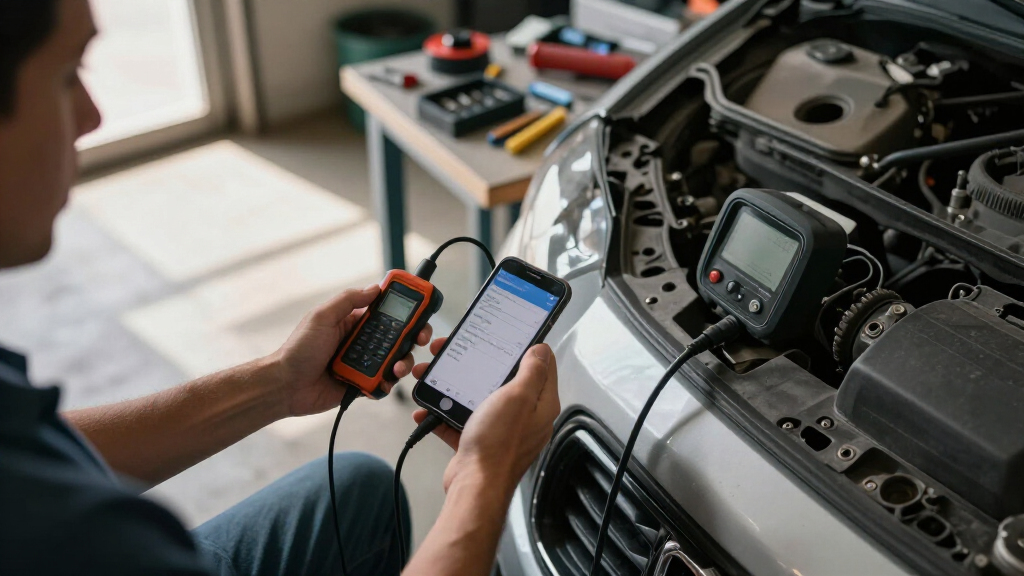
How We Picked
In selecting these OBD2 scanners for iPhone, I prioritized devices that are widely compatible with iOS, reliable Bluetooth connections, and user-friendly apps. Performance and durability played a key role, as well as support for essential vehicle systems such as ABS, SRS, and TPMS. Price-to-value ratio was also considered, ensuring options suit different budgets without sacrificing core functionality. The ranking reflects a balance between ease of use, feature set, and overall reliability, helping buyers find the best match for their specific needs—whether casual car owner or DIY mechanic.Factors to Consider When Choosing Obd2 Scanners For Iphone
Choosing the right OBD2 scanner for iPhone involves more than just looking at features. You’ll want to consider compatibility, ease of use, and the scope of diagnostics supported. Understanding these factors can help you avoid common pitfalls, such as buying a device incompatible with your vehicle or one that lacks necessary features. A thoughtful selection ensures you get a tool that fits your skill level and diagnostic needs, saving both time and money.Compatibility and Vehicle Support
Not all OBD2 scanners work with every car model or year, especially when it comes to specific protocols used by certain manufacturers. Check whether the device supports your vehicle’s make, model, and year before purchase. Some scanners are optimized for European or Asian cars, while others work universally. Ensuring compatibility reduces frustration and the need for returns or exchanges later on.
Ease of Use and App Interface
A primary reason to choose an iPhone-compatible scanner is the quality of its app. Look for intuitive interfaces, clear diagnostic codes, and helpful explanations. Some apps also offer features like live data streams, freeze frame data, and repair tips, which can be invaluable for DIY diagnostics. Avoid overly complicated setups if you’re a beginner, but consider more advanced options if you’re experienced.
Features and System Support
Beyond reading engine fault codes, many scanners support additional systems like ABS, SRS, and TPMS. Decide which systems you need to monitor—if you want comprehensive diagnostics, prioritize devices with expanded support. Keep in mind that more features often come with a higher price, so balance your needs against your budget. Basic code readers are sufficient for simple fixes, while advanced tools suit regular DIYers or professionals.
Build Quality and Connectivity
Reliable Bluetooth connection and durable build are essential for long-term use. Devices with Bluetooth 4.0 or higher tend to have more stable connections, reducing dropouts during scans. Also, consider the physical design—compact, portable units are easier to carry and store. Investing in well-built hardware can prevent frustration caused by premature wear or connection issues.
Price and Value
While budget options can handle basic code reading, they might lack advanced features or broad system support. Premium models often cost more but offer better longevity, support for multiple vehicle brands, and deeper diagnostics. Think about your future needs—if you plan to do more complex repairs, spending more upfront could save you from needing an upgrade later. Conversely, if you only want occasional checks, a lower-cost device may suffice.
Frequently Asked Questions
Can I use these OBD2 scanners without an internet connection?
Yes, most OBD2 scanners for iPhone operate via Bluetooth and store diagnostic data locally on the device or within the app. An internet connection isn’t necessary for standard fault code reading or clearing. However, some advanced features like live data analysis, updates, or repair tips may require internet access. Check each device’s app requirements to confirm what functions depend on connectivity.
Are these scanners compatible with all iPhone models?
Most OBD2 scanners designed for iPhone are compatible with recent models running iOS 12 or higher. Compatibility depends primarily on the app and Bluetooth version, not the iPhone itself. To avoid issues, verify the device’s compatibility list and ensure your iPhone’s iOS is updated. Older iPhones may face limitations with certain features or connection stability, so check individual product specs for assurance.
How accurate are these OBD2 scanners for diagnosing car issues?
These scanners provide reliable fault codes and live data for most common issues, making them accurate tools for diagnosing engine problems. However, they are not a substitute for professional diagnostics in complex cases. Some scanners may miss manufacturer-specific codes or advanced system errors. For routine maintenance and simple repairs, these devices offer trustworthy results, but for more detailed diagnostics, consult a professional.
Do I need any special app to use these scanners on my iPhone?
Most scanners come with dedicated apps available on the App Store, which are designed to work seamlessly with iOS devices. Some scanners also support third-party apps, but compatibility varies. It’s best to use the app recommended by the manufacturer to ensure full functionality and updates. Many apps feature user-friendly interfaces, making diagnostics straightforward even for beginners.
Can these scanners support multiple vehicles or just one?
Many OBD2 scanners are designed to work with multiple vehicles, especially universal models supporting standard protocols. However, support for specific car brands or models can vary; specialized adapters may be necessary for certain manufacturers like BMW or Mini. Check the device specifications to confirm whether it can handle multiple vehicles or if you’ll need a different scanner for each.
Conclusion
For casual car owners who want quick fault code readings, a budget-friendly scanner like the Veepeak OBDCheck BLE offers solid value. DIY enthusiasts seeking comprehensive system support might prefer the OBDLink MX+ or BlueDriver for their reliability and feature sets. Professionals or those with more complex needs should consider premium options that provide broader compatibility and deeper diagnostics, such as the OBDLink CX. Beginners will benefit from user-friendly apps, while advanced users should prioritize devices supporting extensive vehicle systems. Your ideal choice depends on your technical skills, vehicle type, and diagnostic requirements.