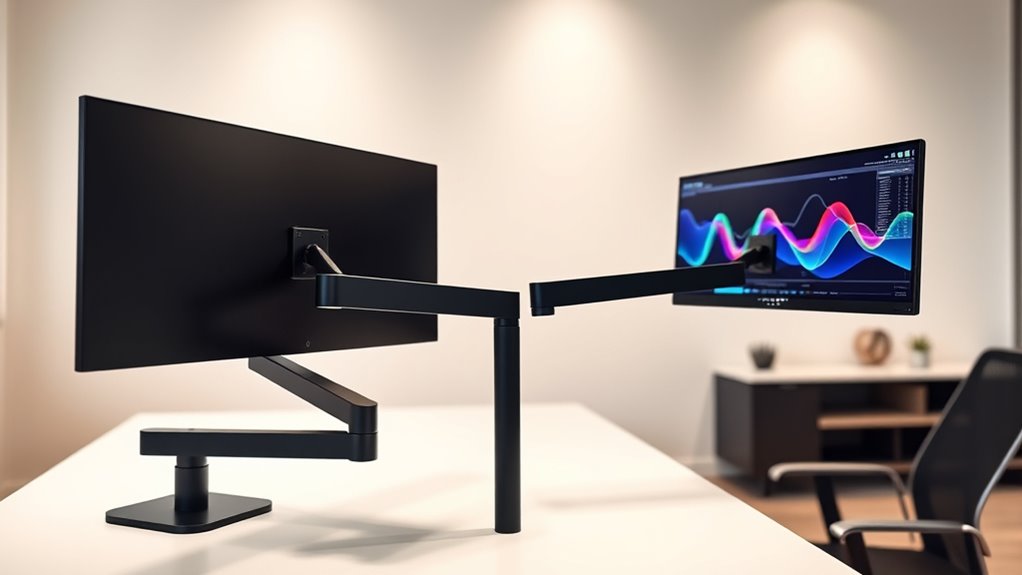

Choosing the right adjustable monitor arms for dual setups can significantly improve your workspace ergonomics and productivity. The best options offer a balance of flexibility, stability, and ease of installation. The HUANUO Dual Monitor Stand stands out as the overall top pick for its versatility and robust build, while the Mount-It! Proflex Series shines for heavy-duty needs and extra features like USB ports. However, these options come with tradeoffs—more adjustable features often mean higher cost or complexity. Continue reading for a detailed breakdown of each product to find the perfect fit for your setup.

Get business pricing on garage and car supplies
- Business-only prices and quantity discounts
- Tax-exempt purchasing
- Multiple users, one account, clear invoices
Complete the kit


Key Takeaways
- High-quality dual monitor arms must balance stability with full range of motion, especially for larger or heavier screens.
- VESA compatibility and mounting options (clamp vs. grommet) are crucial for ensuring a secure and adaptable installation.
- Extra features like USB ports and cable management can add value but may increase price and setup complexity.
- Sturdiness and build quality vary significantly; premium options typically offer better durability for long-term use.
- Ease of installation and adjustability are key for everyday usability, but some heavy-duty models require tools or more effort to set up.


| adjustable monitor arms for dual setup | Weight Capacity | Tilt Range |
|---|---|---|
| HUANUO Dual Monitor Stand for | 26.4 lbs per arm | — |
| HUANUO Dual Monitor Stand | 4.4 to 19.8 lbs per arm | — |
| VIVO Dual Monitor Desk Mount | 22 lbs per monitor | — |
| Pegzone Dual Monitor Arm for U | 19.8 lbs | — |
| WALI Adjustable Dual Monitor A | — | — |
| VIVO Dual Monitor Stand | 19.8 lbs per monitor | +90° to -90° |
| HUANUO FlowLift™ Dual Monitor | — | 90° |
| ErGear Dual Monitor Arm for 13 | — | +80°/-50° |
| HUANUO 17-32 Inch Dual Monitor | — | 90° |
| Mount-It! Proflex Series Heavy | — | +50°/–20° |
More Details on Our Top Picks
HUANUO Dual Monitor Stand for 13″–40″ Monitors with USB, Height Adjustable, VESA Mount, Clamp/Grommet Base
This HUANUO model stands out for supporting larger, heavier monitors up to 40 inches and 26.4 lbs per arm, making it ideal for users with sizeable setups. Compared to the VIVO dual mount, it offers more vertical height adjustment—up to 21.1 inches—which improves ergonomic flexibility. Its integrated USB ports add convenience, especially for those who need quick device connectivity. However, assembly can be complex, especially for users unfamiliar with multi-part mounts, and the need for a sturdy desk with at least 3.54 inches of thickness may limit compatibility. The full motion capabilities ensure customizable viewing angles, but the size and weight constraints mean it’s best suited for heavier monitors that require robust support. For anyone seeking a versatile, high-capacity dual monitor solution with added USB charging, this is a compelling choice.
Pros:- Supports large monitors up to 40 inches and 26.4 lbs per arm
- Full motion adjustment for ergonomic positioning
- Includes built-in USB ports for device charging
- Helps organize workspace and reduce clutter
Cons:- Assembly may be complex for some users
- Requires a desk with sufficient thickness for mounting
Best for: Users with large, heavy monitors or professional setups requiring high weight capacity and full motion flexibility.
Not ideal for: Casual users with small desks or lighter monitors, as assembly complexity and size may be overkill.
- Supported Monitor Size:13″–40″
- Weight Capacity:26.4 lbs per arm
- VESA Compatibility:75×75mm or 100×100mm
- Maximum Height Adjustment:21.1″
- Extended Reach:25.59″
- Mounting Options:Clamp and grommet
Our verdict“Best suited for professionals or power users with large, heavy monitors seeking maximum flexibility and capacity.”
HUANUO Dual Monitor Stand – Fully Adjustable Desk Mount with Swivel and VESA Compatibility for 13-32 Inch Screens
This HUANUO stand excels in ergonomic adjustability for smaller to mid-sized monitors, with full motion options including swivel, tilt, and rotation. Unlike the VIVO mount, it emphasizes ease of use and installation, making it a good choice for users who prioritize quick setup and cable management. Its compatibility with 13-32 inch monitors and max weight of 19.8 lbs per arm means it’s ideal for most standard office monitors but less suitable for heavier or larger screens. The adjustable height and full motion features promote healthy posture, but users must verify their monitor’s size, weight, and VESA pattern before purchasing. Its straightforward design makes it perfect for those seeking a flexible, space-saving dual setup without the need for heavy-duty capacity.
Pros:- Full motion adjustment including swivel, tilt, and rotation
- Easy to install with included hardware and instructions
- Space-saving design with effective cable management
Cons:- Limited to monitors up to 32 inches and 19.8 lbs
- Must verify compatibility with monitor size, weight, and VESA pattern
Best for: Office workers or home users with standard-sized monitors seeking ergonomic comfort and easy installation.
Not ideal for: Users with very large or heavy monitors over 32 inches or 20 lbs, as it lacks capacity for such setups.
- Compatibility:13-32 inch monitors
- Weight Capacity:4.4 to 19.8 lbs per arm
- VESA Mounting:75x75mm or 100x100mm
- Adjustments:Swivel, tilt, rotate, height adjustable
Our verdict“Ideal for users wanting ergonomic flexibility and quick setup with mid-sized monitors.”
VIVO Dual Monitor Desk Mount, Holds 2 Screens up to 30 inches and 22 lbs Each, Fully Adjustable Steel Stand with C-Clamp and Grommet, Black
The VIVO dual mount offers robust support for monitors up to 30 inches and 22 lbs per screen, making it suitable for most standard office setups. Its fully adjustable features—tilt, swivel, rotation, and height—are comparable to the ErGear arm, but its steel construction emphasizes durability and stability. Compared to the Pegzone model, the VIVO’s slightly larger size makes it more suitable for varied desk configurations, although the assembly can be intricate for newcomers. Its 3-year warranty adds peace of mind, yet it may require ample desk space for optimal positioning. This mount strikes a balance between size, capacity, and adjustability, making it a strong choice for those with mid-sized monitors needing versatile positioning.
Pros:- Supports monitors up to 30 inches and 22 lbs each
- Fully adjustable for tilt, swivel, rotation, and height
- Sturdy steel construction with easy installation
- 3-year warranty for added reliability
Cons:- Assembly can be complex for some users
- Requires sufficient desk space for optimal setup
Best for: Professionals with 24-30 inch monitors seeking a sturdy, fully adjustable dual mount.
Not ideal for: Users with ultrawide or curved monitors over 30 inches or heavier than 22 lbs, as it lacks capacity for larger displays.
- Screen Size Range:13″ to 30″
- Weight Capacity:22 lbs per monitor
- VESA Compatibility:75x75mm, 100x100mm
- Material:Steel
- Mounting Options:C-Clamp, Grommet
- Warranty:3 years
Our verdict“A durable, fully adjustable mount ideal for mid-sized monitors in professional environments.”
Pegzone Dual Monitor Arm for Up to 32 Inch Screens, Heavy Duty Mount
The Pegzone arm provides a strong solution for 17-32 inch monitors weighing up to 19.8 lbs, emphasizing durability with steel construction. Its maximum extension of 21.7 inches and height adjustment of 24.7 inches allow for flexible workspace arrangements. Compared with the WALI arm, it offers a slightly higher weight capacity and a sturdy, industrial feel, but it may not fit monitors without VESA mounting holes without additional adapters. The full-motion adjustment supports ergonomic positioning, yet the weight limit might restrict larger or heavier monitors. This arm is well-suited for environments where heavy-duty support and long-term stability are priorities, especially if monitor compatibility aligns.
Pros:- Supports monitors up to 32 inches and 19.8 lbs
- Full motion for ergonomic flexibility
- Steel construction offers durability and stability
- Easy to install with mounting hardware
Cons:- Limited to monitors with VESA mounting holes
- Maximum weight limit of 19.8 lbs may restrict larger monitors
Best for: Users with medium-sized monitors up to 32 inches needing a robust, heavy-duty mount for a stable workspace.
Not ideal for: Owners of larger or heavier monitors over 32 inches or those without VESA mounting options, as it may require additional adapters or is limited in weight.
- Compatibility:17-32 inch monitors
- Weight Capacity:19.8 lbs
- VESA Mounting:75x75mm / 100x100mm
- Maximum Extension:21.7 inches
- Height Adjustment:24.7 inches
Our verdict“A sturdy, heavy-duty arm best suited for medium-sized monitors requiring reliable, long-term support.”
WALI Adjustable Dual Monitor Arm for 13-32 inch Screens, 22 lbs per Arm
The WALI dual monitor arm offers a practical solution for those seeking full motion adjustability at an affordable price, supporting monitors up to 32 inches and 22 lbs. Its extension of 19.3 inches and height adjustment of 17.3 inches provide flexibility for ergonomic setups. Compared with the Pegzone arm, it’s lighter and easier to install on typical wooden desks, but its maximum weight limit may exclude larger, heavier monitors. Its full tilt, swivel, and rotation capabilities promote good posture, but the limited maximum weight might restrict use with very heavy displays. This mount makes sense for users prioritizing budget and versatility over maximum capacity, especially in a home or light-office environment.
Pros:- Supports monitors up to 32 inches and 22 lbs
- Full motion adjustments including tilt, swivel, and rotation
- Easy to install with multiple mounting options
- Affordable price point
Cons:- Limited to monitors weighing 22 lbs or less
- Recommended only for wooden desks without crossbeams
Best for: Budget-conscious users with standard-sized monitors up to 32 inches seeking full motion flexibility.
Not ideal for: Users with heavier or larger monitors over 22 lbs or those with thick desks beyond 2.76 inches, as it may not support such configurations.
- Screen Size Compatibility:13-32 inches
- Max Load Capacity:22 lbs per arm
- VESA Pattern:75x75mm and 100x100mm
- Extension:19.3 inches
- Height Adjustment:17.3 inches
Our verdict“A cost-effective, flexible mount suitable for standard-sized monitors in budget-minded setups.”
VIVO Dual Monitor Stand, Fully Adjustable Arms for 17 to 32 inch Screens, Mechanical Articulating Desk Mount, VESA 75×75, 100×100, Max 19.8 lbs, Black
This VIVO dual monitor stand stands out for its broad compatibility with monitor sizes ranging from 17 to 32 inches and its full range of motion, including tilt, swivel, and rotation. Compared with the HUANUO models, it offers more flexibility in positioning, making it ideal for users who need highly customizable setups. The fully adjustable arms help optimize ergonomic comfort, and the easy assembly process adds to its appeal. However, the back of the arms can extend past the desk edge, which might interfere with some workspace arrangements, and the weight limit of 19.8 lbs per monitor may restrict heavier screens. This pick makes the most sense for professionals seeking versatile, space-saving monitor support with extensive adjustability.Pros:- Fully adjustable for precise ergonomic positioning
- Helps save desk space by elevating monitors
- Compatible with a wide range of monitor sizes and VESA patterns
- Easy to assemble with included hardware
Cons:- Back of arms may extend past desk edge
- Maximum weight limit of 19.8 lbs per monitor
Best for: Ergonomics-focused users who want highly customizable dual monitor setups for long hours of work or creative tasks.
Not ideal for: Users with very heavy monitors or limited desk space where arms might extend beyond the surface.
- Screen Compatibility:17-32 inches
- Weight Capacity:19.8 lbs per monitor
- VESA Patterns:75x75mm, 100x100mm
- Tilt Range:+90° to -90°
- Swivel:180°
- Rotation:360°
Our verdict“Ideal for those who prioritize maximum flexibility and space efficiency in a dual monitor setup.”
HUANUO FlowLift™ Dual Monitor Stand, Fully Adjustable Gaming Monitor Desk Mount for 13–32″ Computer Screens, Full Motion VESA 75×75/100×100 with C-Clamp & Grommet Base, Each Arm Holds 4.4 to 19.8 lbs
This HUANUO model makes the list for its full-motion capabilities, including tilt, swivel, and rotation, which are comparable to the Mount-It! Proflex but with a focus on gaming and general versatility. Its support for monitors up to 32 inches and 19.8 lbs aligns with many other options, yet its full motion and height adjustments help create a more dynamic setup. Unlike some simpler mounts, it offers a tilt range of 90°, and its cable management keeps clutter at bay. Still, it’s not suitable for glass desks and requires monitors with VESA holes, making it less ideal for certain aesthetic or desk types. This product suits gamers and users who need maximum positional flexibility for long hours of use.Pros:- Supports a wide range of monitor sizes up to 32 inches
- Full-motion adjustment for ergonomic comfort
- Cable management maintains a tidy workspace
- Easy, tool-free VESA mounting
Cons:- Not compatible with glass desks
- Requires monitors with VESA mounting holes
Best for: Gamers or programmers requiring high-adjustability and smooth motion for extended use.
Not ideal for: Users with glass desks or monitors without VESA mounting options.
- Compatibility:13-32 inches
- Max Load:19.8 lbs
- VESA Pattern:75x75mm, 100x100mm
- Tilt Range:90°
- Swivel:180°
- Rotation:360°
- Desk Thickness Range:0.39”-3.54”
Our verdict“Best suited for users needing maximum motion and flexibility in a dual monitor setup, especially for gaming or intensive tasks.”
ErGear Dual Monitor Arm for 13–32″ Screens, Fully Adjustable with Tool-Free VESA Mount
The ErGear dual monitor arm earns its spot by offering straightforward, tool-free VESA mounting and independent adjustment features, making it accessible for users who want quick setup without sacrificing flexibility. While it supports monitors from 13 to 32 inches and up to 19.8 lbs, its design is more suitable for wooden desks without crossbeams underneath, similar to the HUANUO models. Its adjustable height, tilt, and swivel provide ergonomic benefits, but users must verify monitor VESA compatibility beforehand. Compared to the Mount-It! Proflex, it’s less heavy-duty but easier to install, making it appealing for home offices or casual users.Pros:- Supports a wide range of monitor sizes and weights
- Independent adjustments for ergonomic positioning
- Tool-free VESA mounting simplifies installation
- Suitable for desks without crossbeams
Cons:- Limited compatibility with glass desks
- Requires VESA mounting on monitors
Best for: Home office users seeking an easy-to-install dual monitor arm with independent adjustments.
Not ideal for: Users with glass desks or those needing support for very heavy or large monitors beyond 32 inches.
- Compatibility:13-32 inches
- Max Load:19.8 lbs
- VESA Pattern:75x75mm, 100x100mm
- Height Adjustment:Up to 17.5 inches
- Extension:Up to 18.1 inches
- Tilt Range:+80°/-50°
- Swivel:±90°
- Rotation:360°
Our verdict“A practical choice for those wanting simple, quick setup with reliable independence in monitor positioning.”
HUANUO 17-32 Inch Dual Monitor Stand with Adjustable Tilt, Swivel, Rotate
This HUANUO dual monitor mount excels in its broad adjustment range, including tilt, swivel, and rotation, making it a solid choice for users who prioritize ergonomic fine-tuning. Supporting monitors up to 32 inches and 19.8 lbs, it offers similar specs to the Mount-It! Proflex but with a focus on full motion, providing more precise control over monitor positioning. Cable management keeps the workspace tidy, and the mounting options are flexible with C-clamp or grommet setups. However, like other models, it’s not suitable for glass desks and requires monitors with compatible VESA holes. It’s an excellent choice for those who want maximum ergonomic flexibility and full adjustability.Pros:- Supports monitors up to 32 inches
- Full range of tilt, swivel, and rotation adjustments
- Cable management features
- Flexible mounting options
Cons:- Not suitable for glass desks
- Requires VESA-compatible monitors
Best for: Ergonomics-conscious professionals working long hours or gamers seeking maximum motion control.
Not ideal for: Those with glass desks or monitors lacking VESA mounting options.
- Supported Monitor Size:17-32 inches
- VESA Compatibility:75x75mm, 100x100mm
- Maximum Monitor Weight:19.8 lbs
- Tilt Range:90°
- Swivel Range:180°
- Rotation:360°
- Desk Thickness Compatibility:0.39”-3.54”
Our verdict“Best for users who need detailed ergonomic control and maximum flexibility in dual monitor positioning.”
Mount-It! Proflex Series Heavy-Duty Dual Monitor Arm for 17–35” Screens, Gas Spring, Full Motion, USB-C & USB 3.0 Ports, VESA 75/100, Fits Ultrawide & Curved Displays, Clamp or Grommet Base
The Mount-It! Proflex Series distinguishes itself by supporting large, ultrawide, or curved monitors up to 35 inches and 44 lbs per arm, far surpassing the weight limits of most other options. Its gas spring mechanism allows effortless, smooth positioning, making it especially appealing for users who frequently adjust their screens. The inclusion of USB-C and USB 3.0 ports enhances connectivity, adding a productivity edge. While this mount offers exceptional support for heavy and large displays, its installation can be more complex, and it’s designed for desks between 0.4 to 3.35 inches thick, similar to other premium options. This mount is best for users with demanding, high-capacity setups needing sturdy, full-motion support combined with connectivity features.Pros:- Supports up to 35-inch ultrawide and curved displays
- Supports up to 44 lbs per arm for heavy monitors
- Full motion with gas spring for effortless adjustments
- Built-in USB-C and USB 3.0 ports for enhanced connectivity
Cons:- Installation can be complex and time-consuming
- Price may be higher due to advanced features
Best for: Professionals with large, heavy, or ultrawide monitors who need robust support and integrated connectivity.
Not ideal for: Users with thinner desks outside the specified thickness range or smaller monitors under 17 inches.
- Monitor Size Support:17–35 inches
- Maximum Load:44 lbs per arm
- VESA Compatibility:75/100
- Tilt Range:+50°/–20°
- Swivel Range:180°
- Rotation Range:180°
- Reach:Up to 16.7 inches
- Installation:Clamp or Grommet base
Our verdict“Best suited for power users with large, heavy, or ultrawide monitors requiring maximum support and connectivity options.”

How We Picked
The products in this roundup were selected based on their versatility, build quality, and compatibility with dual monitor setups. We prioritized models that offer a wide range of motion, sturdy construction, and VESA compatibility to accommodate different monitor sizes and weights. Ease of installation and adjustability were also key factors, as these influence daily usability. To establish the rankings, we considered customer reviews, brand reputation, and feature sets, aiming to highlight options suitable for a variety of needs—from casual users to professionals. Cost was a secondary factor, with a focus on value for features and durability rather than just lowest price.Factors to Consider When Choosing Adjustable Monitor Arms For Dual Setups
When choosing an adjustable monitor arm for dual setups, it’s essential to consider several factors that impact usability, stability, and long-term satisfaction. Making the right choice involves understanding your specific needs, monitor sizes, and workspace constraints. A well-selected arm can reduce neck strain, improve ergonomics, and keep your desk organized. Here are key factors to guide your decision:Monitor Size and Weight Compatibility
Before selecting an arm, verify its maximum weight capacity and size range. Heavier or larger monitors require more robust mounts with higher weight limits—often 22 lbs or more per arm. Choosing an arm that exceeds your monitor’s weight ensures stability and reduces the risk of sagging or damage over time. Conversely, smaller or lightweight monitors can often be paired with lighter, more budget-friendly options.
Adjustability and Range of Motion
Look for arms that offer full articulation, including tilt, swivel, rotation, and height adjustment. This flexibility allows you to customize your viewing angle and reduce strain during long work sessions. However, more complex motion features often come with increased complexity and cost. Consider your specific ergonomic needs and workspace layout to find a balance between flexibility and simplicity.
Mounting Options and Compatibility
Most dual monitor arms can be clamped or grommet-mounted. Clamp mounts are easier to install and remove, ideal for temporary setups or desks with limited grommet holes. Grommet mounts provide more stability and are better suited for permanent, heavy-duty installations. Check your desk’s thickness and construction to ensure compatibility and secure attachment, especially when using larger monitors.
Build Quality and Durability
Durability depends on materials like steel or high-quality aluminum, which resist sagging and wobbling over time. Cheaper plastic components or poorly constructed joints may compromise stability and longevity. For professional or long-term use, investing in a sturdy, well-made arm pays off in consistent performance and less maintenance. Always review customer feedback for insights into real-world durability.
Additional Features and Value
Some models include USB hubs, cable management systems, or quick-release VESA plates. These extras can enhance productivity and keep your workspace tidy. However, added features often come at a higher price and may introduce complexity. Consider which features align with your workflow and whether they justify the extra cost for your specific setup.
Frequently Asked Questions
Can I use a dual monitor arm with curved or ultrawide monitors?
Many dual monitor arms support ultrawide and curved monitors, but it’s essential to check the maximum width and weight capacity. Arms designed for standard screens might struggle to support larger, heavier displays, leading to instability or sagging. For ultrawide setups, look for models with adjustable arms that can handle wider VESA patterns and higher weights, ensuring your monitor stays secure and in the desired position.
Are gas spring monitor arms better than mechanical articulating arms?
Gas spring arms generally offer smoother, more effortless adjustments and often support a wider range of motion. They are ideal for users who frequently change monitor positions or need quick, easy adjustments. However, gas springs can be more expensive and may wear out over time, requiring replacement. Mechanical arms, while sometimes less fluid, tend to be more durable and simpler to maintain, making them suitable for static or less frequently adjusted setups.
How do I know if a dual monitor arm will fit my desk?
Check the mounting options and compatibility specifications—most arms support desks with a certain thickness and have clamp or grommet mounts designed for specific desk types. Measure your desk’s thickness and the available space around the mounting area to ensure a secure fit. If your desk is thick or has a special surface, verify that the arm’s mounting hardware can accommodate it or consider a model with adaptable mounting features.
Is it worth paying extra for a dual monitor arm with built-in USB ports?
Adding USB ports can streamline your workspace by consolidating cable management and providing easy access to device connections. If your workflow involves frequent data transfer or device charging, investing in a model with built-in USB hubs offers convenience. However, these features increase the cost and might add complexity to setup. Evaluate whether the extra ports address your needs or if simpler, more affordable options suffice.
What is the best way to install a dual monitor arm securely on a glass desk?
Installing a dual monitor arm on a glass desk requires specific mounting hardware designed for glass surfaces. A clamp mount may not be suitable unless the glass is very thick and sturdy. Instead, look for arms with a grommet mount or specialized clamps that distribute pressure evenly. Always verify the maximum weight capacity and ensure the glass can support the combined weight of your monitors and the mount to prevent damage or instability.
Conclusion
For most users seeking a versatile and reliable all-around option, the HUANUO Dual Monitor Stand offers excellent value with adjustable height and strong build quality. Those needing a heavy-duty setup with extra features should consider the Mount-It! Proflex Series, especially if USB ports and full motion are priorities. Beginners or casual users will appreciate simpler, more affordable models like the WALI Adjustable Dual Monitor Arm, which still provides solid adjustability. For professional environments or those with larger, ultrawide monitors, investing in premium options like the VIVO Dual Monitor Desk Mount ensures durability and flexibility. Ultimately, your choice depends on your monitor size, workspace, and feature preferences, but this guide should help clarify the best fit for your needs.