
If you’re relying on your DEWALT 20V MAX Cordless Drill Driver Set for demanding tasks, proper maintenance and troubleshooting are essential to keep it running smoothly. In this guide, we’ll walk you through common issues, routine care tips, and safety precautions to ensure your tool remains reliable for years to come.
Whether you’re experiencing reduced battery life, difficulty in operation, or simply want to maximize its lifespan, following these practical steps will help you diagnose problems and maintain peak performance.
Key Takeaways
| Battery Care | Proper charging and storage extend battery life. |
| Cleaning & Maintenance | Regular cleaning prevents dirt and debris buildup. |
| Troubleshooting | Identify and resolve common operational issues. |
| Safety Tips | Always power off and disconnect before maintenance. |

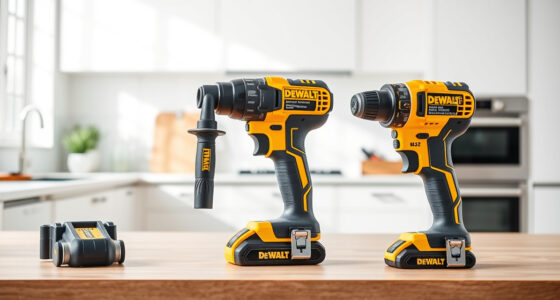
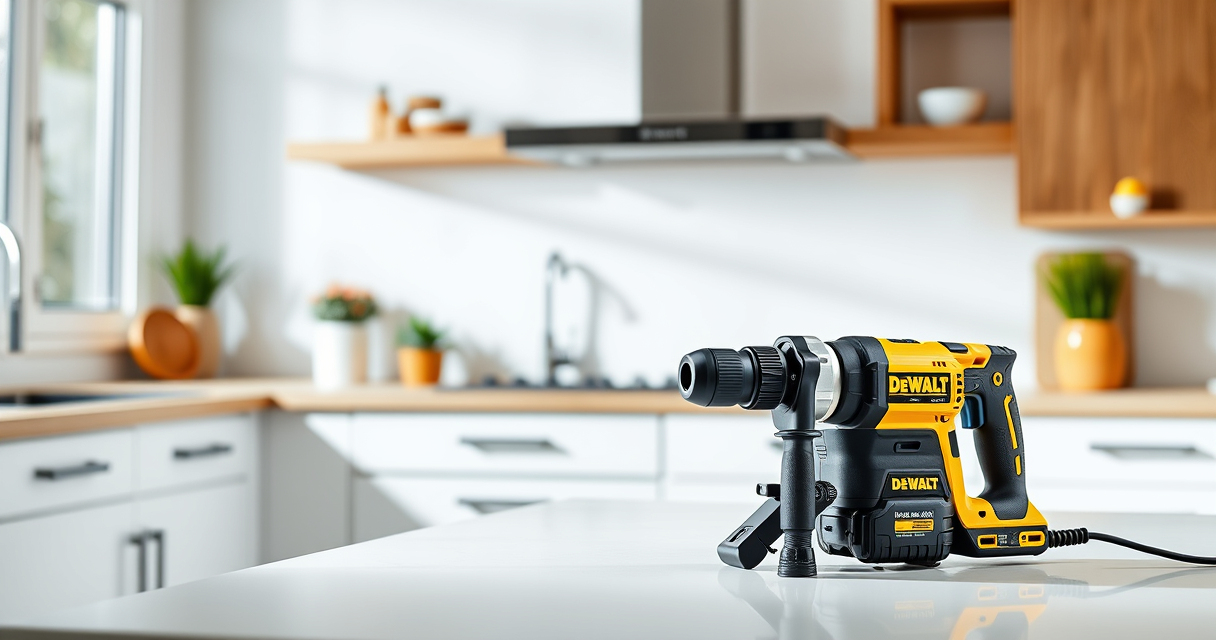
DEWALT 20V MAX Cordless Drill Driver Set, Electric Drill, Brushless 1/2 In 2 Speed, 2.0 Ah Battery and Charger Included, LED Light (DCD777D1)
- Motor Type: Brushless for longer run time
- Size: Compact 7.6-inch design
- Design: Lightweight for easy handling
As an affiliate, we earn on qualifying purchases.
Routine Maintenance for Your DEWALT Drill
- Keep the drill clean: Use a dry cloth to wipe down the exterior after each use, especially around vents and the chuck.
- Check the chuck: Regularly inspect for debris or damage. Clean with compressed air if needed, but avoid forcing debris into the mechanism.
- Lubricate moving parts: Apply a light machine oil to the chuck and other moving components as recommended in the user manual.
- Battery care: Store batteries in a cool, dry place, and avoid leaving them fully drained or fully charged for extended periods. Use the LED indicator to monitor charge levels.
- Inspect the brushes and brushes replacement: If the drill exhibits reduced power or inconsistent operation, consider inspecting brushes if accessible, or consult a professional for service.

DEWALT Drill Bit Set, 3-Flats Shank,14-Piece, 135 Degree Split Point, for Plastic, Wood and Metal (DWA1184)
- Tip Design: 135° Split Point to Reduce Walking
- Material: High-Speed Steel for Versatility
- Durability: Tapered Web for Breakage Resistance
As an affiliate, we earn on qualifying purchases.
Troubleshooting Common Issues
- Drill not turning on: Check the battery connection, ensure it is charged, and firmly seated. Test with a different battery if available.
- Reduced power or inconsistent operation: Clean the chuck and check for debris. Replace the battery if it’s old or not holding charge.
- The LED light isn’t working: Verify the switch and battery connection. Replace the LED if faulty.
- Battery drains quickly: Ensure the battery is fully charged and not damaged. If performance persists, replace the battery.
- Overheating: Allow the drill to cool down after prolonged use. Clean vents and avoid continuous operation beyond recommended durations.
Safe Disassembly and Repair Tips
Before attempting any disassembly, disconnect the battery and ensure the tool is powered off. Use the correct screwdriver to remove screws and avoid forcing parts apart. When replacing parts like the chuck or brushes, follow manufacturer instructions or seek professional service—improper handling can cause damage or injury.
If your drill requires internal repairs beyond basic troubleshooting, contact authorized service centers or DEWALT customer support.
Battery Maintenance & Replacement
Battery health is vital for optimal drill performance. To maximize lifespan, avoid exposing batteries to extreme temperatures and store them in a cool, dry place. Regularly check the LED fuel gauges to monitor charge levels. When batteries no longer hold sufficient charge or show physical damage, replace them with genuine DEWALT 20V MAX 5Ah Lithium Ion Batteries.
Always use compatible chargers and avoid overcharging batteries. Proper care reduces risk of overheating and prolongs battery life.
Final Tips & Safety Precautions
- Always wear safety goggles and gloves when cleaning or repairing your drill.
- Disconnect the battery before performing any maintenance or troubleshooting.
- Use only recommended accessories and replacement parts.
- Store your drill in a dry, secure location away from children.
- Follow the manufacturer’s instructions for charging and operation to prevent damage and ensure safety.
The Products in This Guide

DEWALT 20V MAX Cordless Drill Driver Set
- ✔ Voltage: 20V MAX
- ✔ Battery Capacity: 2.0 Ah
- ✔ Chuck Size: 1/2 inch

DEWALT Drill Bit Set
- ✔ Number of Bits: 14
- ✔ Coating: Black and Gold
- ✔ Tip Angle: 135°
DEWALT 20V MAX Cordless Drill Driver Set
The DEWALT 20V MAX Cordless Drill Driver Set is a versatile tool designed for both DIYers and professionals. Its brushless motor delivers more run time and durability, making routine maintenance and troubleshooting straightforward. Proper care ensures your drill remains efficient and safe to use over many years.
Pros:
- Long-lasting battery life
- Compact and lightweight design
- LED light for visibility
- Ergonomic grip for comfort
Cons:
- Battery may need replacement after heavy use
- Chuck can become stuck if debris accumulates
- Limited to 2-speed options
Best for: General-purpose drilling, fastening, and tight space applications
Not ideal for: Heavy-duty industrial use or prolonged continuous drilling
Bottom line: A dependable drill that balances power, size, and ease of maintenance.
DEWALT Drill Bit Set
The DEWALT Drill Bit Set with 14 pieces offers high-quality steel and a split point design that reduces walking and ensures precise drilling into plastic, wood, or metal. Perfect for complementing your DEWALT drill, this set enhances your productivity and accuracy.
Pros:
- Durable High Speed Steel
- Split point prevents walking
- Easy size identification
- Rust-resistant coating
Cons:
- Limited to specific bit sizes
- Not suitable for heavy industrial use
- Requires proper storage to prevent damage
Best for: Home projects, DIY repairs, light industrial work
Not ideal for: Heavy-duty or high-torque applications
Bottom line: A versatile drill bit set that adds precision and durability to your toolkit.
Frequently Asked Questions
How do I extend the battery life of my DEWALT drill?
Store batteries in a cool, dry place, avoid full discharges, and recharge only when necessary. Regularly clean contacts and avoid overcharging.
What should I do if my drill stops working suddenly?
Check the battery connection and charge level. Clean the chuck and vents. If the issue persists, inspect for internal damage or contact service support.
Can I replace the brushes myself?
If accessible, you can replace brushes with proper tools and instructions, but it’s often best to consult a professional for internal repairs.
How do I clean the vents and prevent overheating?
Use compressed air to blow out dust and debris from vents regularly. Avoid continuous operation beyond recommended durations to prevent overheating.
Is it safe to disassemble the drill for maintenance?
Only disassemble if you are experienced and have the right tools. Always disconnect the battery first, and follow safety precautions to prevent injury or damage.
Keeping Your DEWALT Drill in Peak Condition
Regular maintenance and proper troubleshooting significantly extend the lifespan and performance of your DEWALT 20V MAX Cordless Drill. Follow safety precautions and routine care tips to ensure your tool remains reliable for all your projects. When issues arise, these straightforward steps will help you diagnose and resolve common problems efficiently, keeping you productive and safe.
Affiliate disclosure: As an Amazon Associate we earn from qualifying purchases. Prices and availability are accurate as of the time of publishing.