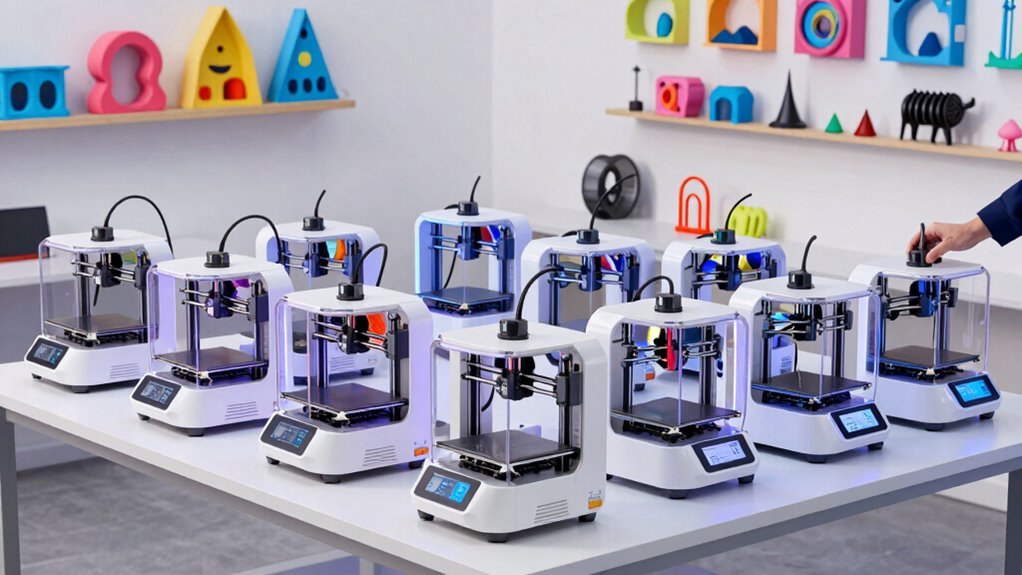

The best 3D printers for makers balance dependable printing, room to grow, and the features your projects actually need. I rank the Bambu Lab P1S Combo first for its enclosed design and multicolor workflow, while the FlashForge Adventurer 5M stands out for fast, straightforward single-color printing and the Snapmaker U1 for its four-toolhead setup. The main tradeoffs are ease of use versus hands-on control, single-color simplicity versus multicolor capability, and a compact footprint versus a larger build area. Kid-focused enclosed printers and small beginner models serve different needs from workshop machines. Read on for the full breakdown and a guide to choosing by project, workspace, and experience.

Get business pricing on garage and car supplies
- Business-only prices and quantity discounts
- Tax-exempt purchasing
- Multiple users, one account, clear invoices
Complete the kit


Key Takeaways
- The P1S Combo is the most versatile pick: its enclosure and included AMS suit makers who want multicolor projects as well as everyday prints.
- The Adventurer 5M and AD5X serve different speed-first buyers: the 5M keeps single-color printing straightforward, while the AD5X adds multicolor capability and a 300°C direct-drive extruder.
- The Snapmaker U1 takes a distinct approach to color changes: four toolheads and a quick toolchanger may appeal to makers who want to avoid a conventional multicolor workflow.
- The Tina2C and Hephi3d Tina2C prioritize low-friction starts: their fully assembled, auto-leveling format suits small projects, but their mini-class design is less suited to large parts.
- The two AOSEED listings target kid-centered use, not general workshop flexibility: enclosed builds and model libraries emphasize guided creativity, while the A1 offers a more general beginner-oriented alternative.
| Entina Tina2C 3D Printer for Beginners |  | Best Compact Starter Printer | Print volume: 3.9 x 3.9 x 3.9 inches | Dimensions: 8 x 6.5 x 10 inches | Weight: 5.28 pounds | VIEW ON AMAZON | See Our Full Breakdown |
| FlashForge Adventurer 5M 3D Printer |  | Best for Fast Functional Prototyping | Print size: 220 x 220 x 220 mm | Maximum speed: 600 mm/s | Extruder temperature: 280°C | VIEW ON AMAZON | See Our Full Breakdown |
| Bambu Lab P1S Combo 3D Printer with AMS |  | Best for Multi-Color Maker Projects | Color capability: Up to 16 colors with AMS | Printing speed: 500 mm/s | Acceleration: 20,000 mm/s² | VIEW ON AMAZON | See Our Full Breakdown |
| AOSEED AI 3D Printer for Kids |  | Best for Supervised Family STEM Projects | Dimensions: 14.17 x 14.17 x 14.96 inches | Weight: 24 pounds | Print speed: 220–400 mm/s | VIEW ON AMAZON | See Our Full Breakdown |
| Hephi3d TINA2C 3D Printer |  | Best for Ready-to-Print Small Projects | Dimensions: 8.27 x 6.7 x 9.84 inches | Weight: 5.46 pounds | Build volume: Not specified | VIEW ON AMAZON | See Our Full Breakdown |
| FlashForge AD5X Multi-Color 3D Printer | 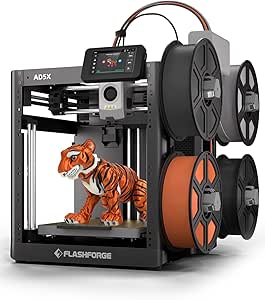 | Best for Fast, Compact Multi-Color Prototyping | Print technology: CoreXY | Maximum speed: 600 mm/s | Build volume: 220 x 220 x 220 mm | VIEW ON AMAZON | See Our Full Breakdown |
| Anycubic Kobra X Multicolor 3D Printer |  | Best for Expandable Color and Larger Builds | Build volume: 260 x 260 x 260 mm | Maximum speed: 600 mm/s | Nozzle temperature: 300°C | VIEW ON AMAZON | See Our Full Breakdown |
| AOSEED AI 3D Printer for Kids |  | Best for Guided Family and Classroom Projects | Print speed: 400 mm/s | Model library: 12,000+ models | Build volume: Not specified | VIEW ON AMAZON | See Our Full Breakdown |
| Snapmaker U1 3D Printer |  | Best for Multi-Material Functional Parts | Toolhead system: 4 independent toolheads with 5-second automatic changer | Build volume: 270 x 270 x 270 mm | Maximum speed: 500 mm/s | VIEW ON AMAZON | See Our Full Breakdown |
| Bambu Lab A1 3D Printer |  | Best for Easy Everyday Making | Acceleration: 10,000 mm/s² | Color printing: Multicolor with AMS lite | Auto calibration: Full-auto calibration | VIEW ON AMAZON | See Our Full Breakdown |
| 3d printers for maker | Dimensions | Weight | Build volume | Connectivity |
|---|---|---|---|---|
| Entina Tina2C 3D Printer for B | 8 x 6.5 x 10 inches | 5.28 pounds | — | Wi-Fi, TF card |
| FlashForge Adventurer 5M 3D Pr | 15.83 x 14.29 x 17.64 inches | 22 pounds | — | — |
| Bambu Lab P1S Combo 3D Printer | — | — | — | — |
| AOSEED AI 3D Printer for Kids | 14.17 x 14.17 x 14.96 inches | 24 pounds | Not specified | Wi-Fi, SD card, USB |
| Hephi3d TINA2C 3D Printer | 8.27 x 6.7 x 9.84 inches | 5.46 pounds | Not specified | Wi-Fi app control |
| FlashForge AD5X Multi-Color 3D | 16 x 14 x 18 inches | 24.2 pounds | 220 x 220 x 220 mm | — |
| Anycubic Kobra X Multicolor 3D | 23 x 13 x 22 inches | 20.9 pounds | 260 x 260 x 260 mm | 2.4G/5G Wi-Fi, LAN |
| AOSEED AI 3D Printer for Kids | 11.42 x 10.63 x 12.2 inches | 8.82 pounds | Not specified | Wi-Fi, app control |
| Snapmaker U1 3D Printer | — | — | 270 x 270 x 270 mm | — |
| Bambu Lab A1 3D Printer | — | — | — | — |
More Details on Our Top Picks
Entina Tina2C 3D Printer for Beginners
The Entina Tina2C suits makers who want to learn basic printing without giving a full workbench to a machine. It arrives fully assembled, and auto leveling reduces one of the fiddlier setup steps; Wi-Fi and TF-card printing also give beginners more than one way to send a job. Its library and DIY modules make it more oriented toward guided home projects than the FlashForge Adventurer 5M, which offers a much larger 220 mm cube and higher-speed printing for functional parts. That smaller footprint is the tradeoff: a 3.9-inch cubed build area rules out many larger props and practical household components. The listed connectivity issues may also frustrate users who rely on wireless printing, while advanced customization calls for compatible slicer software. I’d choose it for learning and small creations, not for a maker’s main production printer.
Pros:- Fully assembled setup and auto leveling reduce initial setup work.
- Wi-Fi and TF-card options support both connected and offline printing.
- Compact 8 x 6.5 x 10-inch body fits small desks and learning spaces.
- Model library and DIY modules provide approachable starting projects.
Cons:- The 3.9-inch cubed print volume limits project size.
- Some users report connectivity problems.
- Advanced customization depends on compatible slicing software.
Best for: First-time makers, students, and families who want a compact printer for small STEM projects and beginner practice.
Not ideal for: Makers printing large functional parts or anyone who needs dependable app connectivity and extensive advanced customization.
- Print volume:3.9 x 3.9 x 3.9 inches
- Dimensions:8 x 6.5 x 10 inches
- Weight:5.28 pounds
- Connectivity:Wi-Fi, TF card
- Supported operating systems:Windows, macOS, Linux, Chromebook
- Setup:Fully assembled; auto leveling
- Model library:3,500+ models
- Warranty:Details available via manufacturer
Our verdict“Choose the Entina Tina2C for a small, guided introduction to 3D printing, but pick the Adventurer 5M if you need room for larger maker projects.”
FlashForge Adventurer 5M 3D Printer
For makers who value iteration speed over a tiny footprint, the FlashForge Adventurer 5M is the strongest fit in this group. Its 220 x 220 x 220 mm build volume accommodates useful parts and prototypes that the Entina Tina2C’s 3.9-inch cube cannot, while the CoreXY frame and listed 600 mm/s maximum speed are geared toward quick jobs. Auto leveling, rapid warm-up, and a detachable nozzle help reduce pauses between prints and simplify routine changes. Compared with the Bambu Lab P1S Combo, the Adventurer 5M is a more straightforward single-material choice; it does not offer the P1S Combo’s enclosed, multi-color setup. The tradeoffs are potential operating noise and limited supplied detail on print quality, so I wouldn’t choose it on speed figures alone. It makes most sense for makers producing single-color parts who want a roomy, fast machine.
Pros:- 220 mm cubed build volume handles larger parts than the compact Tina2C.
- CoreXY structure and a stated maximum speed of 600 mm/s target faster printing.
- Automatic bed leveling reduces manual setup.
- Detachable nozzle and fast warm-up simplify routine printer use.
Cons:- Operation may be noisy, which can be inconvenient in shared rooms.
- The product details provide limited evidence about print quality at high speeds.
- Lacks the P1S Combo’s enclosed multi-color and multi-material capability.
Best for: Hobbyists and prototype builders who print single-color functional parts and want a larger build area with quick job turnaround.
Not ideal for: Makers who prioritize quiet operation, enclosed printing, or multi-color output over speed and build volume.
- Print size:220 x 220 x 220 mm
- Maximum speed:600 mm/s
- Extruder temperature:280°C
- Nozzle:3S detachable nozzle
- Structure:CoreXY, all-metal
- Weight:22 pounds
- Dimensions:15.83 x 14.29 x 17.64 inches
- Leveling:Automatic bed leveling
Our verdict“Pick the Adventurer 5M if fast, larger single-color prints matter more than enclosure, quiet running, or multi-color features.”
Bambu Lab P1S Combo 3D Printer with AMS
The Bambu Lab P1S Combo is the standout for makers whose projects call for color changes or multiple materials, rather than just fast single-color parts. Its AMS setup supports up to 16 colors, and the fully enclosed body gives it a different role from the open-frame Adventurer 5M. Automatic bed leveling and a stated 15-minute setup help make its advanced capabilities more approachable, while the listed 500 mm/s speed and high acceleration are suited to users who also want rapid production. The main compromise is complexity: multi-color printing depends on the Bambu Lab AMS, so this is not the pick for someone seeking a simple, self-contained starter machine. Its listed filament guidance also excludes carbon- and glass-fiber-reinforced polymers. Compared with the compact Tina2C, it is a much more capable project platform, but it needs more space and a willingness to work within its material and AMS setup.
Pros:- AMS enables multi-color printing with up to 16 colors.
- Fully enclosed design distinguishes it from the open Adventurer 5M.
- Automatic bed leveling and quick setup reduce hands-on preparation.
- Supports a broad set of listed filaments, including PLA, PETG, TPU, PVA, PET, ABS, and ASA.
Cons:- Multi-color printing requires connection to the Bambu Lab AMS.
- Carbon- and glass-fiber-reinforced polymers are not recommended.
- Its added multi-material capability may be unnecessary complexity for simple single-color work.
Best for: Makers creating colorful models, display pieces, and multi-material projects who want an enclosed printer with automated setup.
Not ideal for: Buyers who want a low-complexity single-color printer or need to print carbon- or glass-fiber-reinforced filaments.
- Color capability:Up to 16 colors with AMS
- Printing speed:500 mm/s
- Acceleration:20,000 mm/s²
- Enclosure:Fully enclosed
- Bed leveling:Automatic
- Setup time:15 minutes
- Supported filaments:PLA, PETG, TPU, PVA, PET, ABS, ASA
- Additional filament capability:PA and PC
- Not recommended:Carbon- or glass-fiber-reinforced polymers
Our verdict“Choose the P1S Combo when multi-color output and an enclosure are central to your maker projects, rather than optional extras.”
AOSEED AI 3D Printer for Kids
The AOSEED AI 3D Printer is aimed at families and classrooms where safe access and creative prompts matter as much as print settings. Its fully enclosed design, touchscreen, wireless options, and tools for generating models from voice, text, or images make it more child-oriented than the maker-focused Adventurer 5M. A stated 220–400 mm/s range may help projects finish sooner, and the included PLA rolls give families material to start with. But the listing does not state a build volume, making it hard to judge whether it can handle a particular project; that uncertainty matters more to hands-on makers than it does for guided small activities. At 24 pounds, it is also much less portable than the 5.28-pound Entina Tina2C. I’d choose this for supervised creative learning, not for buyers seeking clear capacity details or a general-purpose workshop machine.
Pros:- Enclosed design is suited to shared family and classroom spaces.
- AI model-generation tools offer creative starting points for young users.
- Wi-Fi, SD card, and USB provide several ways to transfer projects.
- Includes eight TÜV-tested PLA rolls.
Cons:- Build volume is not specified, limiting project planning.
- Young children still require supervision.
- At 24 pounds, it is less portable than the Entina Tina2C.
Best for: Parents and educators seeking an enclosed printer for supervised children’s projects, guided model creation, and introductory STEM activities.
Not ideal for: Makers planning dimension-specific functional prints or buyers who need a clearly stated build volume and a lighter machine.
- Dimensions:14.17 x 14.17 x 14.96 inches
- Weight:24 pounds
- Print speed:220–400 mm/s
- Build volume:Not specified
- Filament included:Eight TÜV-tested PLA rolls
- Touchscreen:3.5-inch
- Connectivity:Wi-Fi, SD card, USB
- Noise level:Under 50 dB
Our verdict“Choose the AOSEED for supervised, child-focused creative learning, but skip it if you need a known build volume for practical maker parts.”
Hephi3d TINA2C 3D Printer
The Hephi3d TINA2C is a compact, ready-to-print option for makers who want a low-effort start with small projects. Its fully assembled format and auto leveling reduce early setup demands, while resume printing can help recover a job after an interruption. The included starter kit and model library make it more immediately usable than a bare-bones machine, though the listing gives fewer concrete specifications than the similarly compact Entina Tina2C: it does not state a build volume, supported operating systems, or connectivity beyond Wi-Fi app control. That makes planning exact project dimensions harder, and reliance on an internet connection for app control may not suit offline-first users. Unlike the FlashForge Adventurer 5M, this is not meant for large, fast functional prints. I’d pick it for small home creations and easy entry, provided its unspecified capacity fits the intended work.
Pros:- Fully assembled and described as ready to print in five minutes.
- Auto leveling reduces manual bed setup.
- Resume printing can help avoid restarting a job after an interruption.
- Starter kit, model library, and DIY modules support immediate beginner projects.
Cons:- Build volume and several key technical details are not specified.
- App control requires an internet connection.
- Compact design limits suitability for larger prints.
Best for: New makers who want a fully assembled, compact printer for small home projects and value a starter kit and guided model library.
Not ideal for: Offline-first users and makers who need a documented build volume or intend to print larger functional parts.
- Dimensions:8.27 x 6.7 x 9.84 inches
- Weight:5.46 pounds
- Build volume:Not specified
- Setup:Fully assembled; described as ready to print in five minutes
- Bed leveling:Automatic
- Connectivity:Wi-Fi app control
- Print recovery:Resume printing feature
- Included resources:Starter kit, model library, and DIY modules
Our verdict“Choose the Hephi3d TINA2C for quick-start small projects if its unspecified capacity is acceptable and app-based control fits your setup.”
FlashForge AD5X Multi-Color 3D Printer
I’d choose the FlashForge AD5X when a maker wants four-color printing without giving up a fast CoreXY workflow. Its stated 600 mm/s maximum speed suits quick prototypes, while the 220 mm cubed build area keeps the machine smaller than the Anycubic Kobra X and Snapmaker U1. That compact footprint is useful on a crowded workbench, but it also limits larger one-piece projects. The 300°C direct-drive extruder and interchangeable nozzle sizes give makers room to prioritize detail or throughput. Auto leveling and remote monitoring help with routine jobs, though the multi-color setup adds complexity compared with the more beginner-oriented Bambu Lab A1. I’d shortlist it for small, colorful functional parts; makers who want a larger build volume or a simpler first printer should compare alternatives.
Pros:- Supports up to four colors for decorative prototypes and parts with color-coded features.
- CoreXY system and stated 600 mm/s maximum speed suit rapid iteration.
- Auto bed leveling and remote monitoring reduce routine setup and supervision.
- Nozzle options from 0.25 mm to 0.8 mm allow a choice between finer detail and faster extrusion.
Cons:- 220 mm cubed build volume is smaller than the Anycubic Kobra X and Snapmaker U1.
- Multicolor setup can be challenging for first-time printer owners.
- At 24.2 pounds, it is not especially convenient to move between work areas.
Best for: Makers with limited bench space who want fast four-color prototypes and flexibility to switch between detail-focused and faster nozzle setups.
Not ideal for: Makers printing large parts in one piece or beginners who want the simplest possible multicolor setup.
- Print technology:CoreXY
- Maximum speed:600 mm/s
- Build volume:220 x 220 x 220 mm
- Extruder temperature:300°C
- Nozzle sizes:0.25–0.8 mm
- Color support:Up to 4 colors
- Dimensions:16 x 14 x 18 inches
- Weight:24.2 pounds
Our verdict“Pick the AD5X for fast, space-conscious four-color prototyping, but choose a larger or simpler machine if build size or beginner-friendly setup matters more.”
Anycubic Kobra X Multicolor 3D Printer
The Anycubic Kobra X is the lineup’s growth-minded color option: it prints natively in four colors and can support up to 19 with additional modules. That expansion path is appealing if a maker expects to take on more elaborate models over time, though it brings added setup and hardware complexity. Its 260 mm cubed build volume gives more room than the FlashForge AD5X, while the stated 600 mm/s maximum speed keeps it suited to rapid iteration. Support for PLA, PETG, TPU, PVA, and ASA also gives it a broader material list than the kid-focused AOSEED AI printer. I’d weigh that versatility against reports of durability concerns and the need to supply filament separately. It makes the most sense for a technically confident home or classroom maker, not someone seeking a hands-off first machine.
Pros:- 260 mm cubed build volume accommodates larger models than the FlashForge AD5X.
- Native four-color printing can expand to as many as 19 colors with additional modules.
- Listed support for PLA, PETG, TPU, PVA, and ASA gives makers material options for varied projects.
- Auto leveling and app-based remote control support a more convenient workflow.
Cons:- Advanced color expansion and setup may call for technical experience.
- Filament and spools are sold separately, so they are not included in the stated package.
- Product information notes durability concerns, a drawback for makers planning frequent use.
Best for: Experienced hobbyists, educators, and small workshop owners who want a larger build area, four-color printing, and the option to expand color capability.
Not ideal for: First-time users who want uncomplicated setup, or buyers who need a printer with established confidence in long-term durability.
- Build volume:260 x 260 x 260 mm
- Maximum speed:600 mm/s
- Nozzle temperature:300°C
- Connectivity:2.4G/5G Wi-Fi, LAN
- Weight:20.9 pounds
- Dimensions:23 x 13 x 22 inches
- Supported filaments:PLA, PETG, TPU, PVA, ASA
- Color capability:Native 4-color; up to 19 colors with additional modules
Our verdict“Choose the Kobra X if you want a larger multicolor platform with room to expand, and skip it if setup simplicity or durability confidence is your priority.”
AOSEED AI 3D Printer for Kids
For makers who are children or are introducing children to fabrication, the AOSEED AI 3D Printer puts guided creativity ahead of material range and workshop flexibility. Its enclosed, pinch-resistant design, app control, and library of 12,000+ models make it more approachable for family projects than the open-frame Bambu Lab A1. Included PLA, tools, and a magnetic build plate also create a more complete starting package than the Anycubic Kobra X, which lists filament as separate. The tradeoff is a narrow maker focus: it supports PLA, prints in a single color, and has no stated build volume, making it harder to judge whether a planned project will fit. I’d pick it for supervised school or home activities, not for makers who need precise capacity planning, broad material support, or functional multi-material parts.
Pros:- Enclosed, pinch-resistant design is suited to supervised projects with children.
- Access to more than 12,000 models and AI design tools can help newcomers start making.
- Includes eight PLA filaments, tools, and a magnetic build plate.
- Wi-Fi app control supports remote monitoring and time-lapse sharing.
Cons:- PLA-only support limits material choices compared with the Anycubic Kobra X.
- Single-color printing is the stated default; multicolor use requires assembly.
- Build volume is not specified, making project-fit planning difficult.
Best for: Parents and educators seeking an enclosed, app-guided printer for supervised PLA projects and creative activities with children.
Not ideal for: Makers who need a specified build volume, multiple filament types, or multicolor printing without additional assembly.
- Print speed:400 mm/s
- Model library:12,000+ models
- Build volume:Not specified
- Dimensions:11.42 x 10.63 x 12.2 inches
- Weight:8.82 pounds
- Supported filament:PLA
- Connectivity:Wi-Fi, app control
- Included accessories:8 PLA filaments, tools, magnetic build plate, DIY stickers
Our verdict“Choose the AOSEED for guided, enclosed PLA projects with children, but select a maker-focused alternative for broader materials or clearly defined build capacity.”
Snapmaker U1 3D Printer
The Snapmaker U1 is the strongest fit here for makers who want to combine materials or colors without treating every filament change as a major workflow interruption. Its four independent toolheads and 5-second automatic tool changer are designed to reduce changeover time and material waste, a different approach from the FlashForge AD5X’s four-color capability. The U1 also offers a 270 mm cubed build volume, larger than both the AD5X and Kobra X, and lists a wide range of supported materials, including TPU, ABS, ASA, PA, and PC. That breadth better suits functional parts and demanding prototypes, though material support alone does not promise identical ease of use for every filament. Its setup complexity and 500 mm/s stated maximum speed make it less beginner-focused than the Bambu Lab A1.
Pros:- Four independent toolheads and a 5-second changer are designed to make material and color changes more efficient.
- 270 mm cubed build volume is larger than the FlashForge AD5X and Anycubic Kobra X.
- Listed material support includes flexible, engineering, and water-soluble filaments.
- Smart calibration and remote-control options support a more managed printing workflow.
Cons:- Four-toolhead operation and setup may challenge absolute beginners.
- A 500 mm/s stated maximum speed is lower than the 600 mm/s figures listed for the AD5X and Kobra X.
- Its advanced capabilities may be unnecessary for casual makers who mainly print simple PLA models.
Best for: Makers producing functional prototypes or detailed models that combine different materials, colors, or support filaments.
Not ideal for: Casual hobbyists or absolute beginners who want a simple first printer and do not need multiple toolheads or broad material support.
- Toolhead system:4 independent toolheads with 5-second automatic changer
- Build volume:270 x 270 x 270 mm
- Maximum speed:500 mm/s
- Supported materials:PLA, PVA, TPU, PETG, PCTG, ABS, ASA, PA, PC
- Calibration:Smart calibration
- Print capability:Multi-color and multi-material
- Warranty:1 year
Our verdict“Pick the U1 for larger, multi-material projects and a tool-changing workflow, but choose a simpler printer if your work is mostly single-material prints.”
Bambu Lab A1 3D Printer
I’d point a new maker toward the Bambu Lab A1 when low-friction setup and routine printing matter more than a specialized tool-changing system. Full-auto calibration and active flow-rate compensation are meant to handle adjustments that can otherwise interrupt a print, while the touchscreen and quick-swap nozzle make common tasks more approachable. Compared with the Snapmaker U1, the A1 is the simpler everyday choice; the U1 is better equipped for multi-material work through its four independent toolheads. The A1 can print in multiple colors with the AMS lite, but that system is required for color printing and may involve an additional purchase. Its listed features do not provide a build volume or material range, so makers planning large parts or technical filaments should check those details before choosing. I see it as a practical entry point, not the most expandable option here.
Pros:- Full-auto calibration can reduce manual setup demands for new users.
- Active flow-rate compensation is designed to support consistent extrusion.
- Touchscreen controls and a one-clip quick-swap nozzle make routine operation more accessible.
- AMS lite enables multicolor printing when paired with the printer.
Cons:- AMS lite is required for multicolor printing and may involve an additional purchase.
- The supplied product information does not specify build volume or supported materials.
- Setup may still challenge beginners unfamiliar with basic 3D-printing workflows.
Best for: New makers and families who want automatic calibration, a straightforward touchscreen workflow, and the option to add multicolor printing.
Not ideal for: Makers who need a stated large build volume, extensive listed material compatibility, or multicolor printing without the AMS lite.
- Acceleration:10,000 mm/s²
- Color printing:Multicolor with AMS lite
- Auto calibration:Full-auto calibration
- Flow control:Active flow-rate compensation
- Nozzle:1-Clip quick swap
- Noise feature:Active motor noise canceling
- User interface:Touchscreen
Our verdict“Choose the A1 for an approachable, automatically calibrated everyday printer, and look elsewhere if your plans depend on a known build volume or broad material support.”

How We Picked
I compared these printers by how well their stated features serve common maker goals: producing useful parts, learning the process, iterating quickly, and creating multicolor models. I weighed setup demands, build volume where provided, enclosure and safety-oriented design, material-related capabilities, and the complexity added by apps, model libraries, or toolchanging. A feature mattered most when it changed what a buyer could make or how much attention the printer might demand.
The ranking favors broad usefulness for independent making, then distinguishes fast single-color machines, multicolor systems, and beginner or kid-focused options. That puts the P1S Combo first for its mix of enclosure and multicolor versatility, while the Adventurer 5M ranks as a simpler speed-focused alternative. The Snapmaker U1 and AD5X offer more specialized multicolor routes; compact and kid-oriented models rank lower for general workshop use because their intended roles are narrower. Product names and feature claims are taken from the supplied listings, so I avoid assuming unlisted specifications.
Factors to Consider When Choosing 3d Printers For Makers
For makers, the right printer depends less on a headline speed figure than on the parts you plan to make and the amount of setup you want to manage. I would start with project scale and material needs, then weigh color workflows, workspace constraints, and the role of software or guided libraries.
Match Build Space to Your Actual Parts
Estimate the dimensions of your largest recurring project before choosing a printer. Small figures, organizers, and prototypes can suit a compact machine, while functional enclosures or multi-part assemblies may call for more room or a plan to split models. A larger build area is not automatically better if it takes space you do not have or encourages you to print oversized parts that could be made in sections. Check the usable build volume, not the printer’s exterior footprint, and allow space to reach the bed and load filament. If your projects vary, modular designs that can be assembled from smaller prints may keep a compact printer useful for longer.
Choose the Color Workflow, Not Just the Color Count
Multicolor printing can simplify decorative models and make labels or visual prototypes clearer, but it adds process complexity. Systems that change filament and systems that switch toolheads handle color changes differently, so compare how each approach fits your model mix and maintenance tolerance. Color changes can also add print time and material handling compared with a single-color job. For brackets, jigs, and early prototypes, one reliable filament may be more useful than multiple colors. Pay extra for multicolor only when it will change the finished parts you plan to make regularly.
Treat Speed as One Part of Throughput
Advertised maximum speed is not the same as the time needed for a finished, usable part. Model geometry, layer height, material, and print settings all affect how fast a machine can produce a good result. A quick printer can help makers who iterate often, but speed has less value if setup, material changes, or troubleshooting interrupt the workflow. Look for a balance of motion capability, dependable first layers, and accessible settings rather than choosing by a single number. For a first printer, a predictable routine may save more time than a higher maximum speed.
Decide Whether an Enclosure Fits Your Materials and Space
An enclosure can help contain moving parts and keep a printer more separated from a busy room, which may suit households or shared workspaces. It can also matter for projects that benefit from a more controlled printing environment. But an enclosed printer takes up a defined footprint and needs appropriate ventilation and operating conditions for the materials being used. Do not assume that an enclosure makes every filament suitable or removes the need for supervision. Choose based on the materials you expect to print and where the machine will run, not on enclosure presence alone.
Account for Setup, Learning, and Maintenance
Fully assembled and auto-leveling options can reduce the work between unboxing and a first print, making them attractive for beginners, classrooms, or occasional use. That convenience does not replace learning basic tasks such as loading filament, cleaning the bed, and spotting a poor first layer. App-based model libraries can make early projects easier, but makers who want custom parts should check whether their preferred design software and file workflow are supported. More specialized machines may reward experimentation while asking for more attention. Think about whether you want the printer to stay in the background or become part of the hobby.
Spend for Capabilities You Will Use Repeatedly
Paying more makes sense when a specific capability removes a recurring limitation, such as an enclosure, multicolor workflow, or a suitable hotend for your materials. Avoid buying a feature set solely for a project you may print once. A simple machine can be a better workshop tool when most jobs are functional and single-color; a more capable system earns its place when it expands the kinds of work you produce. Also leave room in your decision for filament, basic upkeep, and workspace needs. The best fit is the printer whose useful features match your routine, not the one with the longest feature list.
Frequently Asked Questions
Should I choose a multicolor printer or a faster single-color model?
Choose multicolor if color separation is part of the final design, such as for signs, display pieces, or clearly differentiated prototypes. A fast single-color printer is often the more direct choice for jigs, replacement parts, and repeated functional prints. Multicolor workflows can add time and material handling, so a color feature may sit unused if most of your work is utilitarian. In this roundup, the P1S Combo, AD5X, Kobra X, and Snapmaker U1 offer distinct multicolor approaches, while the Adventurer 5M focuses on a simpler speed-oriented role. Start with the projects you expect to make most often.
Are a kid-focused printer and a beginner printer interchangeable?
Not always. Kid-focused models such as the AOSEED printers emphasize an enclosed format and access to model libraries, which can make guided creative use more approachable. A general beginner machine like the Bambu Lab A1 may better suit an adult who wants to learn broader FDM printing and make practical parts as well as models. Consider who will operate the printer, whether an adult will supervise, and whether users want to create original designs or choose from ready-made models. Also check the listed workspace and safety guidance for the specific machine. A friendly starting workflow does not replace safe operation.
Is a mini printer enough for practical maker projects?
A mini printer can handle small brackets, clips, organizers, and prototypes when the parts fit its build area. It becomes limiting when projects need larger one-piece components or when splitting a model would weaken the design or add assembly work. The Tina2C options are aimed at accessible, compact printing rather than broad production flexibility. Before buying, measure a few objects you expect to print and compare them with the machine’s stated build volume. If those examples are consistently larger, a full-size option may save repeated redesigns.
Does a printer with a high stated speed automatically save time?
No. A speed figure describes a capability, not a guarantee for every model or material. Small details, tall prints, material settings, and the need for clean surfaces can all call for slower operation. Time spent changing filament or resolving a first-layer problem can also erase a speed advantage. For repeated prototyping, a quick and predictable workflow may matter more than the highest advertised number. Compare speed alongside setup demands and the kinds of parts you actually print.
When is an enclosed printer worth choosing for a home workshop?
An enclosure can be a sensible choice when the printer will operate in a shared room, when keeping hands away from moving parts matters, or when your intended materials benefit from a more controlled environment. It is not a substitute for checking material requirements, ventilation guidance, or safe placement. The P1S Combo and the AOSEED options show how enclosure can serve different buyer goals: versatile maker use in one case and kid-centered access in another. Consider the room, the operator, and the filament types together. If none of those needs apply, an open design may better suit your priorities.
Conclusion
For a general-purpose maker setup, I recommend the Bambu Lab P1S Combo as best overall because its enclosure and multicolor workflow cover more kinds of projects than a basic single-color machine. The FlashForge Adventurer 5M is my value-minded choice for buyers who prioritize straightforward, fast single-color printing, while the Bambu Lab A1 is the best beginner fit for someone seeking a ready-to-use general FDM printer. For a more specialized premium workflow, look to the Snapmaker U1 if its four-toolhead system suits your projects; the AD5X is another choice for buyers seeking multicolor capability with a stated 300°C direct-drive extruder. Choose the Tina2C models for compact entry-level use or an AOSEED for kid-centered guided printing. The right pick comes down to whether you need workshop versatility, an easy first machine, or a focused feature that supports your specific projects.